Lenovo IdeaCentre 24 All-in-One - Review and opinions
Price
User rating
Is it worth it?
If you want a tidy Windows desktop for email, web work, and document editing without a tower taking over the desk, this Lenovo IdeaCentre 24 All-in-One IdeaCentre makes sense fast. The appeal is the 24-inch all-in-one layout with keyboard and mouse included, plus a 1920 x 1080 screen and a low-friction setup path. The trade-off is just as clear: this is a light-duty Intel N100 system with 8GB of RAM and 256GB of storage, so it fits everyday work best, not heavy multitasking or storage-hungry use.
I would put this in the “easy home-office or family desk” lane and skip it if you want a machine that can absorb bigger apps, lots of tabs, or long-term expansion. The 4-core Intel processor, integrated graphics, and compact all-in-one format make it a practical buy for straightforward tasks, while the modest storage and fixed-in-one-body design keep it from feeling like a flexible upgrade platform. It is a better fit for someone who values simplicity and a clean desk more than headroom.
| RAM | 8GB RAM |
|---|---|
| Storage | 256GB SSD |
| Form factor | AIO (24 inches) |
| Wireless | Intel Wi-Fi 6 AX203, 802.11ax 2x2 + BT5.2 |
| Display | 23.8" FHD (1920x1080) IPS Anti-glare 250nits, 99% sRGB, Non-touch |
Clean desk footprint
The all-in-one layout folds the computer and display into one body, and the included USB wired keyboard and mouse keep the first setup simple.
That matters because it removes the usual tower clutter and makes this a straightforward choice for a home office, student desk, or shared family space.
The trade-off is that the machine is built for convenience, not for a future full of add-on parts and dramatic upgrades.
Everyday-use display fit
The 23.8-inch Full HD IPS panel gives you a normal-sized workspace with 1920 x 1080 resolution, anti-glare treatment, and 99% sRGB coverage.
That combination matters more than a flashy headline because it supports long stretches of documents, web pages, and video calls without asking for a separate monitor.
At 24 inches and 1080p, it is comfortable for routine work, but it is still a mainstream productivity screen rather than a high-end creative panel.
Simple connectivity for a desk routine
Rear ports include USB-A, HDMI-out, Ethernet, and a headphone/microphone combo jack, and the system also includes Wi‑Fi 6 and Bluetooth 5.2.
That makes it easy to plug into a normal desk setup, connect a network cable if you want a steadier connection, and pair wireless accessories without extra adapters.
The practical caveat is that this is a convenience-focused port mix, so buyers who need a lot of external devices or specialized expansion should treat it as a basic office route, not a workstation base.
Use evaluation
Set this up as a family or home-office desk PC and the first thing you notice is how little space it asks for. The 24-inch panel, built-in stand, and included wired keyboard and mouse make the desk feel organized right away, and the 21.23 x 7.3 x 16.65 inch footprint keeps it from spreading out like a tower plus monitor combo. That simplicity is the main win here, especially if the goal is a clean everyday station rather than a project machine.
For writing, browsing, and video calls, the balance is sensible: 8GB of memory and a 256GB SSD keep the basics responsive, while the Intel N100 is aimed at light-to-moderate work instead of demanding workloads. The 24-inch 1080p screen gives you a comfortable amount of room for side-by-side documents, and the 5MP AI camera plus AI noise suppression make the call side of the experience more complete than many budget desktops. The limit is obvious too: if your day regularly stacks up heavy browser use, large files, or multiple work apps, this is where the modest platform starts to feel like a ceiling.
The other practical question is whether it stays civilized in a shared room. The integrated design, 65W power supply, and low-power processor point toward a quiet, low-drama desk presence, which suits a bedroom corner or living-room nook better than a louder performance box. The flip side is upgrade headroom: Lenovo IdeaCentre 24 All-in-One gives you some internal flexibility on paper, but this purchase still behaves like a compact all-in-one first and an expandable desktop second. If you want a machine you can grow into aggressively, this is not the strongest route.
Pros
- Clean all-in-one footprint with keyboard and mouse included.
- Comfortable 24-inch Full HD display for everyday work.
- Wi‑Fi 6, Bluetooth 5.2, and Ethernet cover a normal desk setup.
- Easy setup path for basic home or office use.
Cons
- 8GB of RAM and 256GB of storage keep this in the light-duty lane.
- Integrated graphics and Intel N100 are not aimed at heavier workloads.
- All-in-one design limits the feeling of a true upgrade platform.
- The stand only tilts, so height adjustment is limited.
Community
User reviews
The pattern is consistent: people are happiest when they want a simple, good-looking desktop that gets out of the way, and less happy when they expect more muscle than this class is built to give. The useful lesson is that the clean all-in-one setup and clear screen do a lot of the selling, but the modest platform and limited room to grow define the real ceiling.
My sister is legally blind and this big 24 inch screen she can see. The colors and picture are really clear. It leans up and back does not go up or down. Mouse and keyboard are attached but she seems to like that.
This was a smart purchase and cert easy to install with all the latest updates. And great price for this system.
Not much on this computer.
This Lenovo IdeaCentre 24 All-in-One was highly recommended by an IT professional. It’s been wonderful. Couldn’t be more pleased with this purchase.
Quick comparison with other models
Comparison
Against a compact mini PC like the KAMRUI Pinova P2, this Lenovo IdeaCentre 24 All-in-One is the easier all-in-one route because the display is built in and the desk setup is simpler from day one. The mini PC route makes more sense if you already have a monitor and want a smaller box with a clearer separation between screen and computer, while this IdeaCentre is better when you want one purchase to cover the whole desk without extra matching parts.
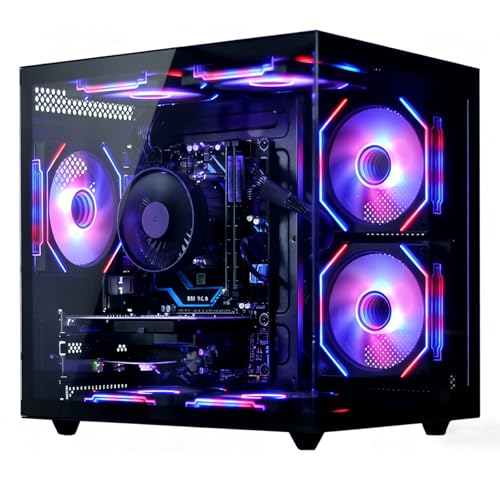
Compared with a more performance-leaning desktop like the suevery SUT1B1-SUT1B9 Gaming PC, the Lenovo IdeaCentre 24 All-in-One is the calmer everyday choice. The suevery machine is for buyers who care about a dedicated graphics card and more raw headroom, while this IdeaCentre is for people who care about quiet, compact office use and a lower-friction setup. If gaming or heavier creative work is the real goal, the Lenovo IdeaCentre 24 All-in-One is the wrong lane; if the goal is simple daily computing, it is the cleaner fit.
Compare with Compare this model This product stays fixed; add a recommended alternative or search another model in the category.
Compare with
Add a second model to activate the direct comparison.
Recommended models
No products match that filter combination.
Is the Lenovo IdeaCentre 24 All-in-One desktop PC worth it?
This is a smart buy for anyone who wants a neat, easy-to-place desktop for everyday work and does not want to piece together a separate monitor, keyboard, and mouse. The 24-inch Full HD screen, Windows 11, Wi‑Fi 6, Bluetooth 5.2, and included peripherals make it a practical all-in-one for a home office or family desk, and the current offer is worth checking if that convenience is the main thing you are paying for. The skip case is just as clear: if you need strong multitasking, serious storage headroom, or a platform you can keep expanding, this model runs out of runway quickly. The 8GB/256GB configuration and Intel N100 class processor keep it in the everyday lane, so buyers who want more performance or a more upgrade-friendly desktop should move to a stronger route instead.
Still, compare Lenovo IdeaCentre 24 All-in-One with close alternatives if warranty, noise, real battery life, or included accessories are decisive for you.
FAQ
Is this better for office work or heavier multitasking?
Office work, web use, and basic family tasks are the right match; heavier multitasking and large apps push it past its comfort zone.
Does it need extra accessories to get started?
No, the keyboard and mouse are included, and the built-in screen keeps the first setup simple.