
Price
$200-$400
Price
This HP 14-inch laptop makes the most sense for a student or light office buyer who wants a compact Windows machine with Office 365 included and a low entry price. The real appeal is the simple everyday route it covers: browser tabs, documents, video calls, and basic media in a small 14-inch body. The trade-off is equally clear, because the 4 GB memory and 128 GB flash storage keep it in a basic-use lane rather than a roomy all-day workhorse.
Buy it if you want a budget-friendly school or home laptop for light tasks and you value the included software bundle and portable size more than headroom. Skip it if you need a machine for heavier multitasking, long-term storage comfort, or a more clearly defined performance class. The strongest case here is convenience and price discipline; the main reservation is that this is a modest setup, not a broad-shoulders laptop.
| Screen size | 14 inches |
|---|---|
| Resolution | 1366 x 768 (HD) |
| Processor | Intel Processor N150 |
| RAM | 4 GB |
| Storage | 128 GB UFS |
The core package is built around an Intel Processor N150, 4 GB of RAM, and 128 GB UFS storage, plus Windows 11 Home and a year of Office 365.
That combination matters because it covers the normal school-and-home checklist without adding cost to parts many buyers will never use. The practical caveat is that the same setup keeps the machine firmly in light-duty territory, so it rewards simple workflows more than heavy multitasking or large local file libraries.
The 14-inch HD anti-glare display, 250 nits brightness, and 720p webcam make the laptop easy to place in a study corner or on a kitchen table.
That matters for buyers who spend more time reading, writing, and joining calls than editing media. The trade-off is visible in the resolution, which is fine for basic work but not especially generous for dense spreadsheets or long sessions with multiple windows.
USB-C, USB-A, HDMI, a media card reader, Wi‑Fi 6, and Bluetooth 5.4 give this HP a straightforward connection story.
That matters because a budget laptop feels much better when it can plug into a monitor, accept common accessories, and stay stable on home or campus Wi‑Fi. The practical implication is simple: this is a convenient everyday machine, but the value comes from broad basics rather than premium expansion.
Open it on a desk for class notes or email, and the first thing that matters is the balance between size and simplicity. At 14 inches and a price band around 5 GBP, it is easy enough to move from room to room, and the 1366 x 768 panel keeps the footprint small. The downside shows up fast if you like lots of windows open at once, because 4 GB of RAM leaves less breathing room than most buyers want for heavier browser use or multitasking.
For writing papers, filling out forms, and joining calls, the confirmed port mix is practical enough to cover the usual basics, with USB-C, USB-A, HDMI, and a card reader on board. That makes it easier to plug into a monitor or add accessories without living on dongles. The trade-off is that this is still a budget route, so the experience is about getting through daily work cleanly rather than expecting extra speed or storage comfort from the 128 GB drive.
For video calls and streaming, the 720p webcam, dual microphones, Wi‑Fi 6, and Bluetooth 5.4 create a believable home-and-study setup. The 250-nit anti-glare display and micro-edge design help the screen stay usable in ordinary indoor light, but the HD resolution is the bigger limiter for long reading sessions or side-by-side document work. This is the kind of laptop that fits a simple routine well, as long as the buyer accepts that the display and memory are tuned for basic use, not luxury.
| Attribute | HP 14-dq0040nr Current | HP 2026 Business 14 | Dell Latitude 5300 2-in-1 | NIAKUN NY-11 |
|---|---|---|---|---|
| Price | $289.00 | $319.00 | $284.00 | $299.99 |
| Screen Size | 14 inches | 14 inches | 13.3 inches | 15.6 inches |
| Resolution | 1366 x 768 (HD) | 1366 x 768 | 1920 x 1080 pixels | 1920 x 1080 pixels |
| Processor | Intel Processor N150 | - | 8th Gen Intel Core i5-8365U, 1.6GHz base frequency, up to 4.1GHz, 4 cores | M3-6Y30, up to 2.2GHz |
| RAM | 4 GB | 4GB LPDDR5 | 16GB DDR4 | 16GB |
| Storage | 128 GB UFS | 628GB total, consisting of 128GB UFS and a 500GB external drive | 256GB SSD | 256GB SSD |
| Editorial score | 67/100 | 75/100 | 77/100 | 73/100 |
Against a Lenovo IdeaPad 1i, this HP is the more stripped-down buy. The Lenovo route brings a 14-inch screen too, but with 12 GB of RAM and 1.25 TB SSD storage, so it suits buyers who want far more breathing room for files and multitasking. Choose the HP when price discipline and the included Office bundle matter more than storage comfort; choose the Lenovo when the laptop will carry your workload, not just your class notes.
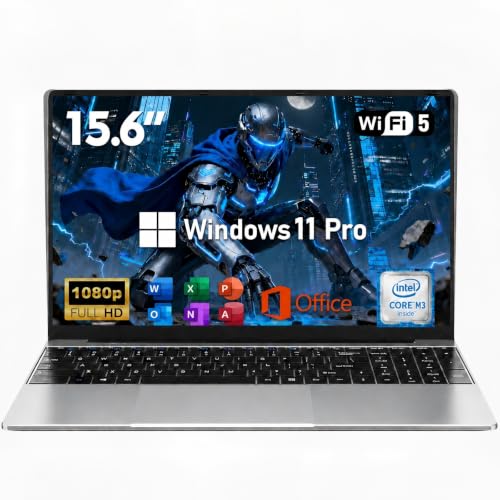
Compared with the UOWAMOU BTC501 or the Auusda T156A, this HP stays closer to a simple student machine than a broader performance play. Those alternatives are built around larger 15.6-inch panels and 16 GB RAM, which gives them more room for split-screen work and heavier everyday use. The HP wins on size and straightforward portability, while the bigger machines make more sense if desk comfort and memory headroom matter more than compactness.
Compare with
Add a second model to activate the direct comparison.




No products match that filter combination.
This HP makes sense as a low-cost student or home laptop when the buyer wants a compact Windows setup with Office included and can live within basic performance limits. For that use case, the 14-inch form factor, USB-C and HDMI support, Wi‑Fi 6, and anti-glare screen create a practical everyday package that is easy to place in a routine. If the current offer stays near the budget end, it is a coherent value pick for light work. If you want a laptop that feels roomy, fast with many tabs, or generous with storage, this is not the cleanest route. The 4 GB memory and 128 GB UFS setup keep the machine honest about its limits, and that is the main reason to skip it for heavier school loads or long-term use. For buyers who need more headroom, the better move is a clearly stronger configuration rather than stretching this one beyond its lane.
Yes, it fits light school and home tasks well. The compact 14-inch size, Windows 11 Home, and included Office 365 make it practical for documents, browsing, and calls.
Only to a limited extent. The 4 GB of RAM keeps it in light-duty territory, so it is better for simple workflows than heavy multitasking.
Review published on