Price
$200-$400
Price
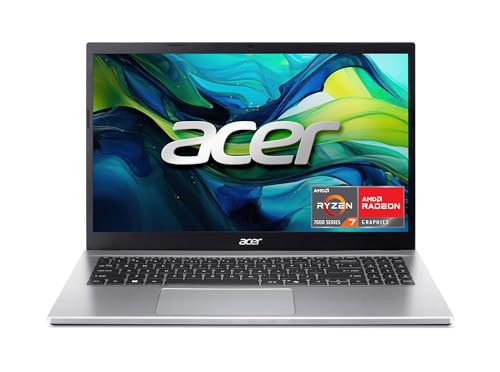
The UOWAMOU BTC501 is aimed at buyers who want a straightforward 15.6-inch Windows laptop with a roomy screen, 16 GB of RAM, and a 512 GB SSD without moving into a higher price bracket. That combination makes it relevant for schoolwork, office tasks, browsing, and light home use, especially if you value a full-size keyboard with a numpad and a portable body over premium materials or creator-class power. The clearest trade-off is that this is a budget-friendly daily driver, not a machine with much margin for demanding workloads or long unplugged days.
I would place this in the “practical, not fancy” lane. It makes sense for someone who wants a big-enough screen, quick setup, and enough memory for everyday multitasking, but it is not the right pick if you need rock-solid wireless behavior, all-day battery confidence, or a laptop that can absorb heavier workloads without friction. The value case is real, yet the mixed reliability story keeps it from being an easy blanket recommendation.
| Screen size | 15.6 Inches |
|---|---|
| Resolution | 1920 x 1080 pixels |
| Processor | Celeron N |
| RAM | 16 GB |
| Storage | 512 GB SSD |
| Wireless | 2.4/5G WiFi |
| Input features | fingerprint reader |
The 15.6-inch 1920 x 1080 IPS display and full-size keyboard with numpad are the most immediately useful parts of the package. They make the laptop easier to place in a work or study routine, especially for reading, writing, and spreadsheet-heavy tasks.
The trade-off is footprint. This is a comfortable desk companion before it is a compact travel machine, so the size helps daily use more than it helps portability.
The 16 GB RAM and 512 GB SSD combination is the main reason the BTC501 can cover ordinary multitasking without feeling stripped down. It gives you room for documents, downloads, and a normal mix of apps without forcing constant cleanup.
That matters more than the processor badge here. For everyday use, the storage and memory balance do the heavy lifting, while the CPU class keeps the machine in the basic productivity lane rather than the performance lane.
USB 3.0, USB 2.0, HDMI, a headphone jack, and a micro SD card reader make the port mix useful for a budget laptop. It is broad enough for a mouse, display hookup, and simple file transfer without immediately needing adapters.
The catch is that wireless behavior has enough mixed feedback to matter. For buyers who live by Wi-Fi, the port selection helps, but it does not fully offset the need for a stable connection in the first place.
The laptop is described as lightweight and portable, and that does fit the general shape of the machine. It is easy to imagine carrying it between home, class, and a desk setup more comfortably than a heavier workhorse.
The limitation is battery confidence. Portability is not just weight; it is also how often you need to reach for the charger, and this machine does not earn an all-day mobility recommendation.
Open it on a desk for email, documents, and a browser full of tabs, and the basic setup fits that routine well: 16 GB of RAM and a 512 GB SSD are the kind of pairing that keeps everyday work from feeling cramped, while the 15.6-inch 1080p panel gives you enough room to read and split windows without the whole machine feeling oversized. At this size, the screen works out to roughly 141 pixels per inch, which is a comfortable middle ground for office text and streaming, even if it is not the sharpest route for people who obsess over fine detail. The upside is simple daily comfort; the limitation is that this is still a budget display, so the experience is about practicality more than polish.
For typing-heavy use, the layout matters almost as much as the specs. The confirmed numpad makes spreadsheets, number entry, and classroom work easier to live with, and several buyers clearly value that full-size feel for academic and home tasks. The trade-off is desk space: a 15.6-inch chassis with a numpad is less compact than a smaller travel laptop, so it suits a fixed desk or a roomy lap more naturally than a tight commute setup. That is a fair exchange if your day is mostly writing, browsing, and light admin.
The one area that changes the buying decision is wireless stability. The laptop is positioned around 2.4/5G WiFi and Bluetooth 4.2, but the real-world pattern is mixed enough that it belongs in the caution column, not the feature column. A quick reboot or network reset may be part of the routine for some owners, which is acceptable for casual home use but less comfortable if your workday depends on a connection that just stays up. That is why the BTC501 reads as a sensible office-and-student machine first, and a poor fit for anyone who cannot tolerate connection friction.
Battery expectations also need to stay grounded. The listing promises long-lasting battery life, yet the customer pattern is split, with some owners happy and others saying it falls short quickly. Put simply, this is a laptop that can move from room to room, but it does not read like a true unplugged companion for long campus days or travel-heavy use. If you plan to stay near an outlet, the rest of the package makes more sense; if you need a machine that can disappear into a backpack and stay independent all afternoon, this is not the cleanest match.
Community
The pattern is straightforward: people who use it for school, home, and basic productivity tend to like the size, setup, and screen, while the most common disappointments cluster around Wi-Fi and battery behavior. The practical lesson is that this laptop can feel like a bargain when you stay in everyday-use territory, but it is less forgiving if you need flawless connectivity or long unplugged sessions.
Excellent product that performs as expected and set up was quick and easy.
It works very well for my purpose, is easy to use right out of the box, and the screen size is perfect for carrying around.
It ran slow right away, had Wi-Fi trouble, and turned into a constant frustration.
It is sleek and functional for academic use, and I like the numeric keypad for typing in other languages.
| Attribute | UOWAMOU BTC501 Current | Dell Latitude 5420 | Lenovo IdeaPad Slim 3i | HP 14-dq6015dx |
|---|---|---|---|---|
| Price | $279.00 | $269.99 | $309.99 | $299.00 |
| Screen size | 15.6 Inches | 14 inches | 15.6 Inches | 14 inches |
| Resolution | 1920 x 1080 pixels | 1920 x 1080 pixels | 1920 x 1080 pixels | 1366 x 768 pixels |
| Processor | Celeron N | - | Intel N100 Processor up to 3.4 GHz, 4 Cores, 4 Threads | Intel N150 |
| RAM | 16 GB | 16 GB | 4GB LPDDR5 SDRAM | 4 GB |
| Storage | 512 GB SSD | 256 GB SSD | 128GB SSD | 128 GB SSD |
| Editorial score | 67/100 | 62/100 | 65/100 | 59/100 |
Against the Lenovo IdeaPad 1i, the UOWAMOU looks more appealing on memory and screen size for the money, while the Lenovo route is better if you want a more established mainstream alternative with a smaller 14-inch footprint. Choose the BTC501 if you want the bigger 15.6-inch workspace and numpad; choose the IdeaPad route if compactness and a more familiar brand path matter more.
Compared with the Auusda T156A, this UOWAMOU lands in a similar 15.6-inch, 16 GB, 1080p office-laptop lane, but the Auusda alternative is the clearer pick if you want a more explicitly performance-leaning 4-core setup. The BTC501 makes more sense when the goal is simple daily use and a practical port mix, while the Auusda route is the one to look at if you want the stronger performance identity and can live with a similar mainstream clamshell format.
The HP TPN-Q221 sits on the smaller, lighter side with a 14-inch 1366 x 768 panel and 8 GB of RAM, so it is the better fit for buyers who care more about basic portability and lower expectations than about screen room or multitasking headroom. The UOWAMOU is the better desk machine because of the larger display, fuller keyboard, and 16 GB memory; the HP is the simpler grab-and-go alternative when compactness wins over comfort.
Compare with
Add a second model to activate the direct comparison.
No products match that filter combination.
The BTC501 is easiest to recommend as a budget-minded home, school, or office laptop for someone who wants a bigger screen, a full keyboard, and enough memory to keep everyday work moving. If that is the job, the price-to-spec balance is appealing, and the current offer can be worth a look if you are shopping in this bracket. If your day depends on flawless wireless, stronger battery confidence, or heavier workloads, this is the point where the trade-off becomes too visible. I would skip it for performance-first or travel-first use and choose a better-defined alternative instead; for basic productivity at a sensible cost, the BTC501 still has a clear lane.
Yes. The 15.6-inch screen, numpad, 16 GB RAM, and SSD make it a practical fit for documents, browsing, spreadsheets, and everyday classes.
No. The Celeron-class processor, mixed Wi-Fi experience, and uneven battery feedback make it a better basic-use laptop than a performance or all-day mobile machine.