
Screen size
31.5 in
Screen size
The BenQ PD3205U (Dark Grey) makes the most sense for a buyer who wants a large 32-inch 4K desktop display for design, photo work, or a clean Mac-and-PC setup. The appeal is straightforward: sharp 4K space, IPS color tuning, USB-C connectivity, and a KVM switch in one monitor. The main trade-off is that this is a desk-first monitor built around productivity and creator comfort, not a high-refresh screen for fast gaming.
If your priority is a roomy, color-focused monitor that can replace a more cluttered desk setup, this is an easy model to take seriously. If you need motion-first gaming features or want a cheaper general-purpose screen, it is the wrong lane. The value here comes from the mix of 32-inch 4K clarity, 90W USB-C, and creator-friendly features, while the caution is that the premium feature set only pays off if those tools match how you work.
| Screen size | 31.5 inches |
|---|---|
| Resolution | 4K UHD 2160p |
| Panel type | IPS |
| Refresh rate | 60 Hz |
| Brightness | 350 |
| Aspect ratio | 16:9 |
The panel is built around IPS color work, with factory calibration, 99% sRGB and Rec.709 coverage, and Delta E ≤ 3 positioning.
That combination matters if you spend time in creative apps or want a display that stays predictable across the screen. It is a better match for color-conscious desk work than for buyers chasing the punchiest motion or the deepest black levels.
USB-C with up to 90W power delivery is one of the most useful parts of the package, especially for laptop owners.
It cuts cable clutter and makes the monitor easier to live with every day, not just easier to install. The practical limit is that the benefit is biggest when your computer can actually use USB-C as its main connection path.
The KVM switch is a real productivity feature, not a marketing extra.
It lets one keyboard and mouse serve two systems, which is handy if you split time between a work machine and a personal machine. That saves desk space and reduces friction, but it only matters if you regularly move between multiple computers.
On a crowded desk, the first thing this monitor gives you is breathing room. A 31.5-inch 4K panel works out to roughly 140 pixels per inch, so text and interface elements land in a crisp, dense layout that suits long document sessions, design canvases, and side-by-side windows. That kind of workspace matters more than raw size alone, because it turns the screen into a practical editing surface instead of just a big rectangle.
For a Mac mini or laptop setup, the USB-C route is the real convenience play. One cable for video, data, and up to 90W of power keeps the desk cleaner, and the built-in KVM switch makes it easier to move between two computers without adding extra peripherals. The upside is obvious in mixed Mac/Windows workflows; the trade-off is that this monitor is optimized for controlled desk use, so it rewards a stable workstation more than a plug-and-go travel routine.
The image side leans toward creator comfort rather than motion speed. The IPS panel, factory calibration, 99% sRGB and Rec.709 coverage, and Delta E ≤ 3 positioning all point to a display meant for consistent color work and everyday visual reliability. That makes it a strong fit for photo editing, layout work, and general content creation, while the 60 Hz refresh rate keeps it out of the high-speed gaming conversation.
Community
The pattern is clear: people who want a sharp, color-accurate, easy-to-wire desktop monitor tend to be pleased, while the complaints come from setup mismatches or a bad panel experience. The practical lesson is that the PD3205U is strongest when you buy it for its desk workflow and creator comfort, not just for the 32-inch size alone.
Screen is very good with 4K, HDR, KVM switch. But after few days I got a line popping up on my screen and could not fix it, so I returned it.
Great quality and rich color depth.
A superb 32-inch companion for Mac Mini M4 and creative work.
Brilliant screen for the price, colors are awesome and it handles Mac and Windows switching well.
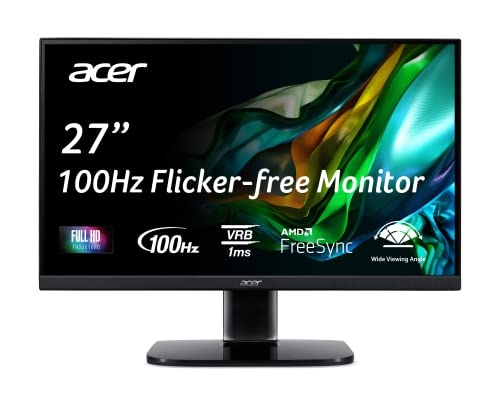
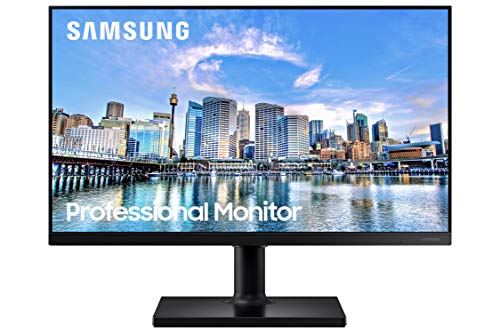
| Attribute | BenQ PD3205U Current | Acer KB272 EBI | Samsung LS24D304GANXZA | Samsung LS27D366GANXZA |
|---|---|---|---|---|
| Price | Out of stock | $154.99 | $79.99 | $127.39 |
| Screen size | 31.5 inches | 27 inches | 24 inches | 27 inches |
| Resolution | 4K UHD 2160p | FHD 1080p | FHD 1080p | FHD 1080p |
| Panel type | IPS | IPS | IPS | Curved |
| Refresh rate | 60 Hz | 100Hz (using HDMI port) | 100Hz | 100Hz |
| Aspect ratio | 16:9 | - | 16:9 | 16:9 |
| Editorial score | 74/100 | 79/100 | 75/100 | 75/100 |
Against a basic 27-inch 4K office monitor, the PD3205U gives you more room and a more creator-focused feature set. Choose the BenQ if you want the larger canvas, USB-C power, and KVM convenience; choose the simpler 27-inch route if your goal is mainly text work and you do not need the extra desk features.
Compared with a gaming-first 32-inch display, this BenQ is the calmer, more work-centered option. The 60 Hz panel and color-oriented tuning make it the better pick for editing, office work, and mixed Mac/PC use, while a high-refresh alternative makes more sense if motion smoothness is the main reason you are shopping.
Compare with
Add a second model to activate the direct comparison.



No products match that filter combination.
The BenQ PD3205U (Dark Grey) is a strong buy for anyone who wants a large, color-accurate 4K monitor that simplifies a desk instead of complicating it. The 31.5-inch IPS panel, USB-C with 90W power, and KVM support give it a clear identity, and the current offer is easiest to justify if you will actually use those productivity features. If you just want a cheaper screen, or if gaming motion matters more than workspace and color consistency, this is not the right target. The 60 Hz ceiling is the main built-in limitation, and the one panel-fault report in the review mix is enough to keep this in the “good fit for the right buyer” category rather than a universal recommendation.
Yes. USB-C, 90W power delivery, and the KVM switch make it especially convenient for a Mac-centered desk.
Not really. The 60 Hz refresh rate and creator-focused tuning make it a better fit for work and content creation than fast gaming.