

Ranking medal
Bronze in Best value
This product is top 3 in a published dynamic ranking.
Ranking medal
This product is top 3 in a published dynamic ranking.
The Amazon Basics 27E2UA makes the most sense for someone who wants a large, straightforward desk monitor for email, documents, web calls, and streaming without paying for gaming or creator extras. The appeal is easy to see: a 27-inch IPS panel, Full HD resolution, 75 Hz refresh, built-in speakers, and a stand that tilts for a more comfortable angle. The trade-off is just as clear, though. It is built around everyday comfort and value, not around higher-end motion or color-work ambitions.
Buy it if you want a roomy 27-inch screen that is simple to set up, flexible enough for a basic office or home desk, and backed by a long run of positive owner sentiment. Skip it if your purchase hinges on high-refresh gaming, color-critical work, or premium ergonomics. This is the kind of monitor that wins by doing the basics well, with built-in speakers and a useful port mix, while staying firmly in the everyday-use lane.
| Screen Size | 27 Inches |
|---|---|
| Resolution | FHD 1080p |
| Panel Type | IPS Flat Panel |
| Refresh Rate | 75 Hz |
| Video Inputs | HDMI, Display Port, VGA Input |
| Ergonomics | Stand tilts -5 to 20 degrees |
The core setup is a 27-inch IPS monitor with Full HD 1080p resolution and 75 Hz refresh.
That combination is aimed at routine desk use, where screen space and easy readability matter more than chasing specialist performance. It gives you a larger workspace than a 24-inch panel, but the 1080p resolution keeps the image in the value-first lane rather than the sharpest-text lane.
HDMI, DisplayPort, and VGA make the monitor easy to drop into newer and older setups, and the included HDMI cable lowers the friction on day one.
That matters if you are moving it between a work laptop, a desktop, or an older backup machine. The practical upside is broad compatibility, while the limitation is that the monitor is built for simple display duties rather than a modern USB-C dock-style setup.
The stand tilts from -5 to 20 degrees, and the monitor is VESA compatible with a 100x100 mm pattern. That gives you two real paths to a better desk position, either with the included stand or with a wall mount or arm.
For buyers who care about posture and desk layout, that is a meaningful plus. The trade-off is that the bundled stand is basic, so height and swivel flexibility depend on whether you add your own mount.
Built-in speakers and Energy Star certification round out the package with two everyday-use benefits.
The speakers are handy for calls or casual video when you do not want extra desktop clutter, and the efficiency certification suits a screen that may stay on for long work sessions. The practical caveat is simple: the speakers are there for convenience, not for anyone who wants rich sound.
On a normal work desk, the 27-inch panel gives you enough room to keep a browser, a document, and a chat window open without feeling cramped, and the Full HD resolution keeps the setup in the comfortable everyday-monitor range. At 27 inches, 1080p works best when you value space and simplicity over ultra-crisp text at close range. That makes it a strong fit for office work, schoolwork, and general home use, but not the sharpest choice if you spend all day staring at dense text at arm’s length.
For motion, the 75 Hz refresh rate is the quiet middle ground that takes the edge off basic scrolling and casual video without turning this into a gaming display. The IPS panel and 16:9 layout fit the broad, all-purpose role well, and the wide-angle viewing behavior matters if you share the screen or shift around your chair. The limitation is straightforward: if your main reason for buying is fast-paced gaming, this is not the route that gives you the most headroom.
Setup is one of the monitor’s better arguments. The included stand, HDMI cable, power cord, and manual reduce the usual first-hour friction, and the tilt range from -5 to 20 degrees gives enough adjustment for a typical desk posture. The port mix also helps the monitor stay useful across older and newer devices, with HDMI, DisplayPort, and VGA on hand. Built-in speakers add convenience for calls, casual video, or a spare-room setup, though they are best treated as a backup rather than the reason to buy the screen.
The value story is strongest when you look at the whole package together: 27 inches, IPS, 75 Hz, VESA compatibility, Energy Star certification, and a price level that sits around the low-$100 range in this market. That combination lands well for a second monitor, a family PC, or a simple office station. The trade-off is that the monitor’s strengths are practical rather than premium, so the buyer who wants a sharper panel, stronger speakers, or a more advanced stand will quickly outgrow it.
Community
The pattern is easy to read: people keep coming back to the size, the simple setup, and the strong value for a 27-inch display. The main letdown is not the image itself but the speaker quality, which is good enough for convenience and not much more. In practice, this is the kind of monitor that satisfies when you want a large everyday screen and disappoints only if you expect it to behave like a more specialized display.
I needed a monitor with audio but did not want to spend a lot, and this felt like a great deal. The picture is great, the settings are useful, and the speakers are okay but not vibrant enough for me.
For the price, this is a really solid monitor. The screen looks good, colors are nice, and it is comfortable for long sessions of work, browsing, or watching videos.
This had to be the simplest monitor I have ever set up. The instructions were clear, it was super simple, no tools required, and it works very well.
Solid basic monitor with amazingly easy base connection and no tools required. At this price level only tilt adjustment is available, which keeps it in the basic but practical category.
| Attribute | Amazon Basics 27E2UA Current | Samsung FT45 27" FHD 75Hz | SANSUI ES-24F2 | Dell SE2425H |
|---|---|---|---|---|
| Price | $97.97 | Out of stock | $79.98 | Out of stock |
| Screen Size | 27 Inches | 27 inches | - | 23.8 inches |
| Resolution | FHD 1080p | 1920 x 1080 | - | 1920 x 1080 |
| Panel Type | IPS Flat Panel | IPS | - | VA |
| Refresh Rate | 75 Hz | 75 Hz | - | 75 Hz |
| Video Inputs | HDMI, Display Port, VGA Input | HDMI and VGA | - | HDMI, VGA |
| Editorial score | 80/100 | 79/100 | 76/100 | 76/100 |
Against a 24-inch IPS office monitor, the Amazon Basics 27E2UA gives you more room to spread out, which is the real advantage if you like a larger canvas for documents and video calls. The smaller 24-inch route can look a little tighter, but it often wins on text density and desk fit. Choose this 27-inch model if you want size and simplicity first; choose the 24-inch route if sharper-looking text and a smaller footprint matter more.
Compared with a higher-refresh option like the Samsung LS24D304GANXZA at 100 Hz, this Amazon Basics screen is the calmer, more value-led pick. The Samsung route makes more sense if smoother motion is a priority, while the Amazon Basics panel is the better fit if your day is mostly spreadsheets, browsing, and streaming. If you want a monitor that behaves like a workhorse instead of a light gaming screen, this one lands in the right place.
Compare with
Add a second model to activate the direct comparison.
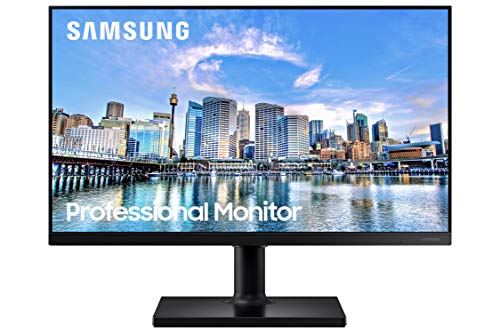


No products match that filter combination.
The Amazon Basics 27E2UA is an easy recommendation for buyers who want a large, practical monitor with simple setup, broad input support, and enough flexibility to handle a home office or general-purpose desk. Its strongest case is the combination of 27-inch size, IPS viewing, 75 Hz smoothness, VESA support, and a package that includes the cable and stand you need to get started. If the current offer sits in the low-a price band around 100 USD range, the value story is strong for everyday use. If you need sharper text at this size, stronger built-in audio, or a more advanced stand, this is not the monitor to stretch for. The 1080p-on-27-inch formula keeps it firmly in the everyday category, and that is exactly where it belongs. For buyers who want a dependable second screen or a simple main monitor, it is the safer buy; for gaming-first or creator-first shoppers, a more specialized alternative is the better route.
Yes. The 27-inch IPS panel, Full HD resolution, 75 Hz refresh, and easy setup make it a practical everyday screen for work, browsing, and video.
They are fine for casual audio and calls, but they are not the main reason to buy this monitor if sound quality matters to you.


