
Refresh rate
120 Hz
Refresh rate
The Dell S2725QS makes the most sense for a desk setup where sharp text, a clean 27-inch footprint, and smooth everyday motion matter more than chasing a pure gaming panel or a creator-first display. Its 4K resolution on 27 inches gives you a dense, crisp workspace, while the 120Hz refresh rate and IPS panel keep it from feeling like a static office screen. The real trade-off is simple enough to matter: it leans hard into clarity and versatility, but the built-in speakers and HDMI-only style can still make the setup more dependent on your cable and desk layout than a more fully equipped monitor.
Buy it if you want one screen that can handle spreadsheets, writing, light gaming, and general media without looking dated on the desk. Skip it if your priority is a more specialized route, like a creator display with deeper color controls or a gaming monitor built around faster motion and broader input flexibility. For most mixed-use buyers, the appeal is that it looks refined, reads cleanly, and stays easy to live with; the reservation is that the strongest case here is practical versatility, not category-leading specialization.
| Screen size | 27 inches |
|---|---|
| Resolution | 3840 x 2160 |
| Panel type | IPS |
| Refresh rate | 120 Hz |
| Response Time | 0.03 ms |
| Brightness | 350 |
The 27-inch 4K panel gives this monitor a dense, sharp desktop that suits text-heavy work especially well. On a screen this size, the resolution pays off every time you read small type, compare documents, or keep multiple windows open without the image looking coarse.
What matters here is not just the spec count but the daily effect. It is the kind of display that makes office work, browsing, and media feel cleaner right away, while still leaving enough room for light gaming and general use. The trade-off is that buyers who want a more expansive multitasking layout may still want a larger or wider format.
The 120Hz refresh rate and AMD FreeSync Premium support give the S2725QS a smoother feel than a basic office monitor. That matters for scrolling, cursor movement, and casual gaming because the screen stays more fluid during ordinary use.
This is the right kind of speed for a mixed-use desk. It adds comfort without turning the monitor into a pure gaming product, which keeps the focus on balance instead of extremes. If fast-paced competitive play is the priority, a more gaming-centered model still makes more sense.
Improved ComfortView Plus, the matte screen surface, and the adjustable stand all work toward easier long-session use. The ash white finish and ultra-thin bezels also make it look cleaner than a lot of plain black office monitors.
The buying value here is everyday comfort. It is easier to place near a window, easier to keep visually calm on a desk, and easier to live with for long workdays. The main caution is that the HDMI-only style on this variant can add a small amount of setup friction for some laptop users.
The integrated speakers add a practical layer of convenience for calls, videos, and casual audio without taking up more desk space. That is useful when the goal is a simpler setup rather than a separate speaker system.
This feature matters because it reduces clutter and makes the monitor more self-contained. The compromise is straightforward: the speakers are a convenience feature, not the reason to buy the screen, so buyers who care deeply about audio quality will still want external speakers or headphones.
On a 27-inch desk setup, the first thing this monitor gives you is text that looks properly tight and organized, which matters immediately if your day is split between documents, browser tabs, and charts. A 4K panel at this size works out to roughly 163 pixels per inch, so small type stays crisp instead of fuzzy, and that is the kind of upgrade you notice every time you open a spreadsheet or read a long page. The upside is obvious comfort and space; the trade-off is that buyers who want a larger canvas for side-by-side windows may still prefer a wider screen rather than a sharper one.
For mixed work and play, the 120Hz ceiling changes the feel of the monitor more than the marketing copy does. Scrolling, window dragging, and casual games all benefit from the extra headroom, and the FreeSync Premium support fits the kind of everyday smoothness people want from a do-it-all screen. That said, this is still a 27-inch 16:9 display, so the motion story is about fluidity and responsiveness, not the kind of aggressive gaming focus that makes every other feature secondary. If gaming is your main reason to buy, there are stronger specialist choices; if gaming is only part of the routine, this lands in a much more comfortable middle ground.
Setup looks friendly for a normal desk rather than fussy or overbuilt. The monitor is easy to pair with a monitor arm, the included HDMI 2.1 cable is a useful bonus, and the adjustable stand keeps the screen from feeling locked into one awkward posture. The practical limitation is ports and routing: the HDMI-only style on this variant can make some Mac and laptop setups lean on adapters or specific cables, which is fine for a tidy desk but less ideal if you want maximum plug-and-play flexibility.
The image tuning also fits the monitor’s broader identity. IPS, 99% sRGB, HDR readiness, and the ash white finish give it a polished look that works well in a home office or a shared room, and the matte surface helps when the screen sits near a window. The built-in speakers are a real convenience for calls, video, or casual listening, but they belong in the “good enough to keep the desk uncluttered” category rather than the “replace a real audio setup” category. That balance makes the S2725QS easy to live with, but not the best pick for buyers who want every part of the monitor to be a top-tier specialty feature.
Community
The pattern is easy to read: people are most satisfied when they want a sharp, good-looking 4K monitor that is simple to set up and pleasant to use every day. Complaints cluster around setup specifics, color tuning, or the limits of using this as a one-size-fits-all display. The practical lesson is that the S2725QS wins when you want a polished all-rounder, not when you need a monitor that solves one niche problem better than everything else.
Coming from a hardcore gamer of 15+ years, I like that it does 4K at 120Hz, has height adjustment, and gives me nice IPS viewing angles.
the G-Sync compatibility and built-in speakers are a bonus.
This comes with a 2.1 HDMI cable, and it paired perfectly with my monitor arm stand.
A very nice 4K monitor that does exactly what I needed a 27-inch monitor to do, and the matte finish works well next to a window.
| Attribute | Dell S2725QS Current | Dell S2425HS Monitor - 23.8 Inch | Dell S2725DS Monitor - 27 Inch | Samsung FT45 27" FHD 75Hz |
|---|---|---|---|---|
| Price | $268.99 | Out of stock | Out of stock | Out of stock |
| Screen Size | 27 inches | 23.8 inches | 27 Inches | 27 inches |
| Resolution | 3840 x 2160 | FHD (1920x1080) | QHD Ultra Wide 1440p (2560 x 1440) | 1920 x 1080 |
| Panel Type | IPS | IPS | - | IPS |
| Refresh Rate | 120 Hz | 100Hz | 100 Hz | 75 Hz |
| Response Time | 0.03 ms | - | 8 Milliseconds | 5 milliseconds |
| Brightness | 350 | - | 1199.1 lm | - |
| Editorial score | 90/100 | 81/100 | 76/100 | 78/100 |
Against a basic 27-inch 4K office monitor, the S2725QS is the more rounded choice because it adds 120Hz motion, FreeSync Premium, and a cleaner design without giving up the sharp text advantage. Choose the simpler office route if you only care about static productivity and the lowest-friction input setup; choose this Dell if you want your work screen to also feel smooth for scrolling and casual play.
Against a gaming-first model like a faster 144Hz or 240Hz display, this Dell is the better fit for mixed use rather than pure competition. The S2725QS gives you enough speed to feel modern, but it stays focused on clarity, comfort, and desk-friendly polish. If your main goal is esports-style motion, the gaming-first route is still the sharper buy; if your main goal is one screen that looks good all day and still plays nicely at night, this is the more balanced pick.
Compare with
Add a second model to activate the direct comparison.


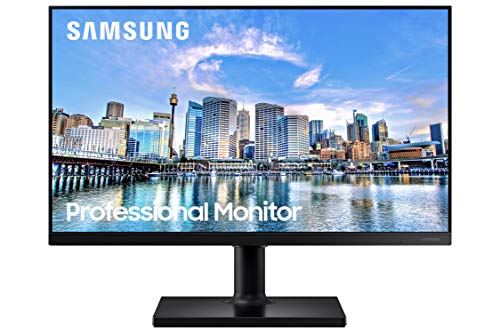


No products match that filter combination.
The Dell S2725QS is an easy recommendation for buyers who want a sharp 27-inch 4K monitor that feels smooth, looks clean, and handles both work and leisure without much fuss. The combination of IPS, 120Hz, 99% sRGB, ComfortView, adjustable ergonomics, and built-in speakers makes it a strong everyday desk upgrade, and it is the kind of screen that earns its keep by being pleasant to use from morning to night. If the current offer is in the right range, it is a very sensible all-rounder. If you need the most specialized gaming motion, a more input-rich laptop setup, or a display that is clearly aimed at creator work, there are better-targeted alternatives. The one reservation that matters most is the HDMI-only style on this variant, which can add a little friction for some setups; if that does not bother you, the S2725QS stays on the right side of the value line for a polished 4K desk monitor.
Yes. Its 27-inch 4K IPS panel delivers a sharp, clean image that works especially well for text, documents, browsing, and general everyday use.
Yes. The 120Hz refresh rate and AMD FreeSync Premium make everyday motion feel smoother than a basic office monitor, including scrolling and light gaming.
Review published on
