
RAM
24 GB
RAM
The 24GB unified memory and 1TB SSD make this MacBook Air an unusually well-equipped route for college, office work, creative apps, and AI-assisted workflows, while the 15.3-inch display gives you room to work without moving to a heavier workstation laptop. The purchase question is whether that generous memory and storage are worth accepting integrated graphics, only two Thunderbolt 4 ports, and a design aimed at quiet mobility rather than gaming or sustained workstation workloads.
Buy it if you want a large-screen Mac that remains genuinely easy to carry, has enough memory for demanding multitasking, and can stay away from an outlet for much of the day. Skip it if gaming performance, a dedicated GPU, built-in HDMI or Ethernet, or a very specific professional software platform matters more than weight and battery life. For the intended school, office, travel, and general creative route, this is a strong configuration with a clear limit rather than an all-purpose replacement for a performance laptop.
| Screen size | 15.3 inches |
|---|---|
| Resolution | 2880-by-1864 native resolution at 224 pixels per inch |
| Processor | Apple M5 chip with 10-core CPU |
| RAM | 24GB unified memory |
| Storage | 1TB SSD |
| Battery life | Up to 18 hours video streaming and up to 15 hours wireless web |
The 15.3-inch Liquid Retina display, 500-nit brightness, wide P3 color, and True Tone are well suited to documents, presentations, photos, and streaming.
The 3.3-pound weight keeps the larger format mobile, but the 15-inch footprint still deserves a proper sleeve and a little desk space.
The 24GB unified memory and 1TB SSD are the configuration's strongest buying argument.
They suit heavy browser sessions, AI tools, photo work, and multiple applications without making storage pressure an immediate part of daily use. Integrated graphics define the boundary, so this is not the right route for buyers choosing a laptop primarily for high-end gaming.
Center Stage, Desk View, the three-mic array, six speakers, Spatial Audio, MagSafe 3, and two Thunderbolt 4 ports cover calls, media, charging, and external-display setups unusually well for a thin laptop.
The port selection is modern but narrow, making a dock useful for HDMI, Ethernet, card readers, or several legacy USB accessories.
Start a study or workday with a browser, documents, messaging, and creative applications open, and the 24GB unified memory gives this configuration useful headroom instead of forcing the buyer into a basic multitasking tier. The 1TB SSD also leaves room for large photo libraries, applications, and school or work files. That combination is the reason to choose this version over a cheaper everyday laptop, while the integrated graphics keep the fit centered on productivity, media, coding, and moderate creative work rather than serious gaming.
At a desk, the 15.3-inch Liquid Retina display gives side-by-side documents and spreadsheets more breathing room than a typical compact notebook. Its 2880-by-1864 resolution works out to 224 pixels per inch, so text and interface elements have a dense, crisp foundation for long reading and writing sessions. The trade-off is format rather than image quality: the larger chassis weighs 3.a price band around 5 GBP and measures 13.4 inches wide, so it is portable but not as effortless in a small commuter bag as a smaller Air.
For meetings and home media, the 12MP Center Stage camera can keep the speaker framed and supports Desk View, while the three-microphone array and six-speaker system add meaningful call and entertainment hardware. MagSafe 3 keeps charging separate from the two Thunderbolt 4 ports, and Wi-Fi 7 plus Bluetooth 6 provide a modern wireless route. The practical limitation arrives when the laptop becomes a desk hub: there is no HDMI or Ethernet listed, so a monitor-heavy setup may require a dock or adapter even though the computer supports up to two external displays.
Community
The recurring buyer takeaway is unusually consistent on speed, portability, screen comfort, and battery life. The larger display makes productivity easier without turning the laptop into a bulky machine, and the 24GB/1TB configuration is widely treated as the practical sweet spot for heavier everyday use. The main lesson is that the Air earns its value through balance, not through gaming hardware or a broad built-in port selection.
This MacBook Air is incredibly fast for AI tools, photo editing, multiple applications, and browsing. The 24GB memory and 1TB SSD make multitasking smooth, and the display, camera, Touch ID, Wi-Fi 7, battery life, and.
I like the balance between the 15.3-inch screen and portability. It feels fast with many windows and demanding tasks, the display is sharp, the camera and speakers are strong, and the battery makes it easy to leave.
I love the Midnight color and how easy it is to carry. Connecting it with my iPhone is simple, the keyboard feels good, processing speed is great, and it is a good value for the money.
I use it for business and office work, and it is faster than my older M2 MacBook Pro while being thinner and lighter. The screen size is almost the same, and the subtle Sky Blue finish works well for me.
| Attribute | Apple MacBook Air 15-inch M5 Current | Samsung Galaxy Book5 Pro 360 | Apple MacBook Air 13.6-inch | Apple MacBook Air 15.3-inch |
|---|---|---|---|---|
| Price | $1,799.00 | $1,579.00 | Out of stock | $1,299.00 |
| Screen size | 15.3 inches | 16 inches | 13.6 inches | 15.3 Inches |
| Resolution | 2880-by-1864 native resolution at 224 pixels per inch | 2880x1800 pixels | 2560-by-1664 | - |
| Processor | Apple M5 chip with 10-core CPU | Intel Core Ultra 7 | Apple M4 chip with 10-core CPU | Apple M5 chip |
| RAM | 24GB unified memory | 16 GB | 16 GB unified memory | 16 GB unified memory |
| Storage | 1TB SSD | 1 TB | 256 GB SSD | 512 GB SSD |
| Editorial score | 93/100 | 86/100 | 72/100 | 93/100 |
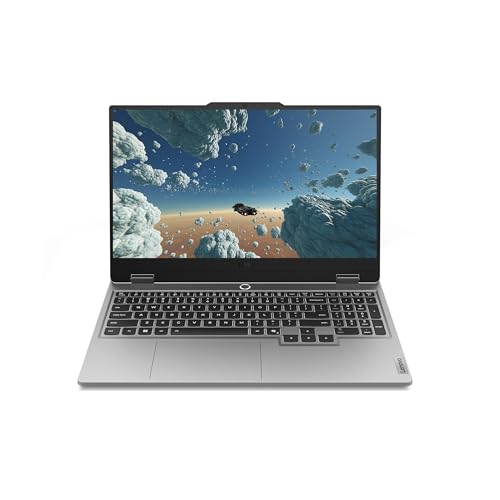
Against the Lenovo Legion LOQ AI-Powered Gaming Laptop, this MacBook Air is the mobility-first choice. The Lenovo's 15.6-inch screen, Intel Core i7-13650HX processor, and 16GB of RAM place it in a more performance-oriented Windows lane, while the MacBook counters with lower weight, up to 18 hours of claimed video streaming, macOS, and a 24GB/1TB configuration. Choose the Lenovo route when gaming and sustained processor-heavy Windows workloads lead the decision; choose the MacBook when carrying comfort, battery, and quiet everyday productivity matter more.
The msi Crosshair 18 HX AI is a much larger performance route, with an 18-inch 2560-by-1600 display, Intel Core Ultra 9 275HX, 32GB of DDR5-5600 memory, and 24 cores. That configuration is built around maximum workstation and gaming headroom rather than the Air's 13.4-inch-wide, 3.3-pound mobility profile. The MacBook is the more sensible choice for classes, travel, office work, calls, and general creative use; the MSI is more logical when screen size, raw processing capacity, and performance hardware outweigh charger and carrying burden.
Compare with
Add a second model to activate the direct comparison.


No products match that filter combination.
The best reason to buy this MacBook Air is the combination of a large, sharp display, 24GB memory, 1TB storage, 3.3-pound portability, and long claimed battery life. It gives students, professionals, travelers, and Mac users a configuration that can handle serious everyday work without the bulk of a gaming or workstation laptop. Check the current offer if this balanced route matches your priorities.
The skip rule is equally clear. Choose another category if dedicated graphics, high-end gaming, sustained workstation rendering, HDMI or Ethernet without adapters, or a Windows-specific software environment is central to your routine. For everyone else, the limited port selection is a manageable compromise, while the strong memory and storage configuration make this one of the more complete large-screen ultraportable choices.
Yes. The 24GB memory, 1TB SSD, large high-resolution display, long claimed battery life, Touch ID, camera, and macOS make it well suited to writing, research, meetings, and multitasking.
Yes, it supports up to two external displays and includes two Thunderbolt 4 ports plus MagSafe 3, but HDMI and Ethernet are not listed, so a dock may be necessary for a broader peripheral setup.
Review published on