
Price
$200-$400
Price
The HP 15.6 FHD Laptop 2026 Edition is aimed at students, families, and light office users who want a big enough screen for real work, enough memory to keep many tabs open, and a chassis that is still reasonable to carry at 3.64 lb. Its clearest appeal is everyday comfort rather than raw power, and the clearest trade-off is that the Intel N100 and 256GB SSD put it firmly in the basic-computing lane.
I’d put this on the shortlist for schoolwork, web-based Office, streaming, Zoom, and general home use, especially if a full-size keyboard and 15.6-inch display matter more to you than gaming or creator-class speed. Skip it if your purchase depends on heavier local software, large media libraries, or a clearly bundled full desktop Office experience, because this machine makes the most sense when the job is ordinary daily computing and the expectations stay there.
| Screen size | 15.6 Inches |
|---|---|
| Resolution | 1920 x 1080 pixels |
| Processor | Intel Processor N100 |
| RAM | 16 GB DDR4 |
| Storage | 256 GB PCIe SSD |
| Weight | 3.64 lb |
The 16GB DDR4 configuration is the strongest part of this setup for ordinary use. In a budget-friendly laptop, that amount of memory does more to preserve smooth multitasking than a flashy product name ever could.
For students and home-office users, the benefit is simple: more breathing room for browser tabs, cloud documents, messaging, and video calls at the same time. The caveat is that memory does not turn the N100 into a creator or gaming chip, so the machine stays best for light-to-moderate workloads.
A 15.6-inch Full HD display paired with a full-size keyboard and numeric keypad makes this laptop easier to place in a study or office routine. You get enough screen area for reading and spreadsheets, and the numpad is genuinely useful for data entry, budgeting, and school assignments.
That larger layout is also the compromise. It is more comfortable for desk use than a smaller budget laptop, but it takes up more bag space and feels less tidy in tight travel situations.
WiFi 6, HDMI output, USB ports, and a headphone jack give this HP a practical edge for common real-world setups. You can plug into a monitor, connect basic accessories, and join calls without hunting for extra dongles.
That matters because this laptop is at its best as a shared family computer, student machine, or light work system. The hardware route is modest, but the day-to-day setup friction stays low, which is exactly what many buyers in this class need.
Starting a normal work or school day, this laptop lands in a comfortable routine quickly. The combination of an SSD and 16GB of RAM is the part that matters most here, because it keeps boot-ups, browser-heavy sessions, and Office-for-web tasks from feeling cramped. For the buyer who opens email, class portals, documents, and a few streaming tabs before lunch, this is the kind of setup that feels responsive enough to stay out of the way.
Once it is on a desk, the 15.6-inch 1080p panel gives you a practical amount of room for documents and side-by-side windows, and the pixel density works out to roughly 141 ppi, which is sharp enough for reading, spreadsheets, and video without looking coarse at normal laptop distance. The anti-glare finish also matters more than the headline resolution in daily use, because it makes long writing sessions and classroom or kitchen-table lighting easier to live with. The trade-off is footprint: a 15.6-inch machine with a numpad is better for settled work than for cramped airplane-tray use.
For calls, web classes, and a simple home setup, the supporting pieces are sensibly chosen. WiFi 6, HDMI, USB ports, and a headphone jack mean you can move from solo use to an external monitor or a headset without turning the laptop into an adapter project. That makes it easier to picture in a dorm, family room, or small office where one machine has to do several jobs. The limitation is performance ceiling, not connectivity ceiling: the integrated graphics and N100 processor are fine for mainstream tasks, but this is not the route for demanding gaming or sustained creative workloads.
Mobility is good in the everyday sense rather than the ultralight sense. At 3.64 lb, it is light enough for commuting between classes or carrying around the house, and the long-battery positioning fits that role, but the larger screen still makes this a bag laptop, not a featherweight grab-and-go machine. The more important practical caution is storage pressure. A 256GB SSD is enough for documents, school files, and routine apps, yet it fills faster once you start keeping large downloads, media, or heavier software locally.
Community
The pattern here is pretty clear: people tend to like the speed, screen size, and value for routine computing, while the disappointments cluster around storage limits, software expectations, and the occasional rough out-of-box setup experience.
This is a big laptop, and once I paired it with an external monitor, keyboard, and mouse, it replaced the need for a desktop for my kind of work.
It works well as an upgrade from an older computer, and the memory and storage are enough for our family use, but the Microsoft Office inclusion was not what I expected.
Mine gave me repeated startup trouble, froze during updates, and I returned it instead of fighting through setup.
I bought it for a college student, the internet speeds were fast, and the quality felt strong for the price.
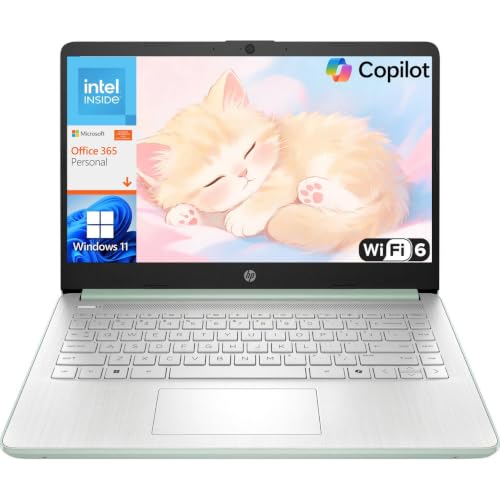
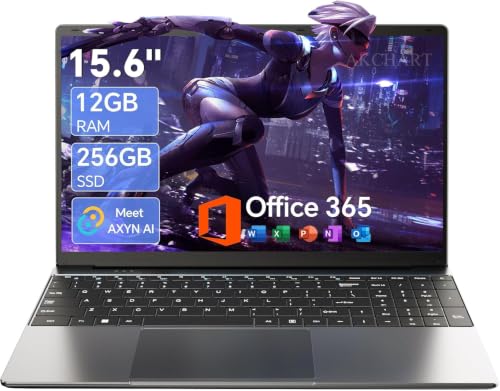
| Attribute | HP 15.6 FHD Laptop 2026 Edition Current | HP Laptop PC 14 | AKCHART M156FH | Dell Latitude 5420 Renewed |
|---|---|---|---|---|
| Price | $329.99 | $319.99 | $329.99 | $304.99 |
| Screen Size | 15.6 Inches | 14 inches | 15.6 inches | - |
| Resolution | 1920 x 1080 pixels | 1366 x 768 | 1920 x 1080 pixels | - |
| Processor | Intel Processor N100 | Intel N150 | Celeron J4105 | Intel Core i5-1145G7, 4 cores |
| RAM | 16 GB DDR4 | 4GB LPDDR5 | 12GB DDR4 | 16 GB DDR4 |
| Storage | 256 GB PCIe SSD | 128GB UFS | 256GB M.2 SSD | 256 GB SSD |
| Editorial score | 68/100 | 77/100 | 76/100 | 70/100 |
Against the HP G8, this model lines up closely on the basics that matter to mainstream use: both give you a 15.6-inch 1080p screen and 16GB of RAM. The G8’s known 1TB storage makes it the better pick if you keep more files locally or want more breathing room from day one, while this HP 15.6 FHD Laptop 2026 Edition stays attractive if your priority is the simpler budget route for web, school, and home tasks.
Compared with the Lenovo V15 G2 ALC, the decision is mostly about storage and overall route. The Lenovo brings the same screen size and resolution with 16GB RAM, plus 512GB storage, so it is easier to recommend for buyers who install more software or keep larger work files on the machine. This HP counters with a very clear student-and-family positioning, a confirmed 3.64 lb weight, WiFi 6, and a numpad-friendly everyday setup.
The NIMO N151 is the closest processor match, since it also uses an Intel N100 with a 15.6-inch 1080p display and 16GB RAM. That makes the two similar in basic performance expectations, so the real choice shifts to package details and trust in the overall configuration. If you want a straightforward mainstream Windows laptop from a major brand for browsing, schoolwork, and office basics, the HP is the safer fit. If you are shopping purely by N100-plus-16GB value, the NIMO route is the more direct spec match.
Compare with
Add a second model to activate the direct comparison.


No products match that filter combination.
For the right buyer, this HP is easy to understand. It gives you a large 1080p screen, a useful keyboard with numpad, 16GB of RAM, practical ports, and a carry weight that still works for school or home-office movement. If your day is built around browser tabs, documents, streaming, email, and video calls, it covers the essentials with less friction than many bargain laptops. Check the current offer, because its value rises or falls on how aggressively it is priced against 512GB alternatives.
The skip case is just as clear. If you need more local storage, stronger processing headroom, or a machine for serious gaming, editing, or specialized software, this is too modest a platform to stretch comfortably. I’d also pass if you want a no-ambiguity Office bundle, because that software expectation has caused real frustration. As a mainstream study-and-home laptop, though, it stays on solid ground.
Yes. The 15.6-inch Full HD screen, 16GB RAM, WiFi 6, and full keyboard make it a strong fit for research, writing, online classes, and everyday campus use.
It is better treated as a general-use laptop. It can manage normal productivity and media tasks well, but the Intel N100 and integrated graphics are not the right foundation for demanding games or sustained creator workloads.
Review published on