Review Laptops HP

HP 255 G10 Laptop - Review and opinions

HP 255 G10
75 /100 Overall

Quick recommendation

Value for money 78/100
Ease of use 69/100
Durability 64/100
Customer reviews 88/100

Is it worth it?

The HP 255 G10 makes the most sense for a student, home office user, or light business buyer who wants a roomy 15.6-inch screen, 16 GB of RAM, and a 1 TB SSD without moving into a heavier premium class. It is built around everyday productivity, and that is where its appeal lands: quick startup, enough memory for multitasking, and storage that leaves space for work files, apps, and media.

Buy it if your day is browser tabs, documents, email, video calls, and a little travel between rooms or offices. Skip it if you need a clearly documented port-rich machine, a long unplugged day, or a more polished premium chassis. The trade-off here is simple: strong practical capacity for the money, but some everyday comfort details are less convincing than the headline specs.

Screen size 15.6 inches
Resolution 1920 x 1080 pixels
RAM 16 GB
Storage 1 TB SSD
Wireless WiFi 6 RTL8821CE-M 802.11a/b/g/n/ac (1×1) Wi-Fi and Bluetooth 4.2 wireless card

Key features

Everyday performance

The Ryzen 3 7330U, 16 GB of RAM, and 1 TB SSD shape the core experience more than the marketing language does. For office work, school, and general home use, that combination gives the machine enough headroom to stay responsive without making the buyer pay for a class of power most people will not use.

The practical upside is simple: it feels sized for real workloads, not just light browsing. The limitation is equally clear: this is still an integrated-graphics, mainstream productivity route, so it is a better fit for documents, streaming, and multitasking than for demanding creative or gaming work.

Screen and size

The 15.6-inch Full HD display is the most obvious comfort feature, especially for reading, side-by-side windows, and long stretches of typing.

That screen size makes the laptop easier to live with than a smaller budget model, and the numeric keypad helps when the day includes data entry or repeated number work. The trade-off is footprint: the larger chassis is useful on a desk, but it takes more room in a bag and on a crowded table.

Setup and daily use

The machine ships with Windows 11 Home in the visible configuration, and the overall setup story is straightforward enough for routine use. Buyers also get HDMI and USB-C in the product positioning, which matters because external display and peripheral support are part of how a work laptop earns its keep.

That said, the day-to-day story is shaped as much by convenience gaps as by features. The trackpad and port layout are the kind of details that can turn a good spec mix into a mildly annoying desk experience if you rely on several accessories at once.

User experience

At a desk with a browser, spreadsheets, and a few chat windows open, the combination of 16 GB RAM and a 1 TB SSD is the part that matters most. That setup gives this HP a comfortable daily-work lane: apps open quickly, storage pressure stays low, and the 15.6-inch Full HD panel gives enough room to read and edit without feeling cramped. The screen works out to about 141 pixels per inch, which is a sensible density for this size and resolution, so text and interface elements land in the practical middle ground rather than the sharpest class.

For commuting between rooms, a class, and a kitchen table, the lighter, thin-and-light design is the real reason to consider it. The size is still a full 15.6-inch machine, so it is not a tiny carry, but the balance of screen area and portability fits a buyer who wants one laptop to move around the house or office without treating it like a desktop replacement. The catch is that battery confidence is not the main story here; the recurring experience is more about staying productive near a charger than chasing all-day unplugged freedom.

The first friction point is the input-and-ports side of the equation. A numeric keypad is a real plus for forms, budgeting, and office work, yet the port count is a common complaint and that matters more than it sounds when you keep swapping accessories. If your routine includes external drives, a mouse, a monitor, and a charger, this is the kind of machine that can feel tidy one minute and adapter-heavy the next. The result is a laptop that works well as a daily tool, but not one that removes every small annoyance from the desk.

Pros

  • Large 15.6-inch Full HD screen for work and study
  • 16 GB RAM and 1 TB SSD give it real everyday headroom
  • Lightweight enough to move around without feeling like a desk-only machine
  • Numeric keypad helps with office and data-entry tasks.

Cons

  • Battery life is not the strongest part of the experience
  • Port selection feels tight for users who plug in several accessories
  • Trackpad and keyboard comfort are not the premium side of the design
  • Not the right pick for buyers who need clearly stronger graphics or creator-class power.

Community

User reviews

The pattern is easy to read: people are happiest when they use this as a practical work-and-school laptop with plenty of storage, quick startup, and a light enough body for moving around. The disappointments cluster around battery life, port flexibility, and a few comfort details like the trackpad or fan noise. The useful lesson is that this is a capacity-first laptop, not a luxury-feel one.

Kurt

Great quality laptop to replace an aging one that could not run Windows 11. Battery life is good, and the screen resolution and brightness are great.

User

I love this laptop. The 1TB storage gives me plenty of space for school files, work apps, and everything in between, and it runs smooth and fast.

Stefanie

Has been a great computer and works really fast. Fast charge and hasn't let me down. I've now had the computer a year and I love it.

Vin

Great laptop for the money. The storage is great, but I am a little disappointed with the number of ports it has available.

Comparison

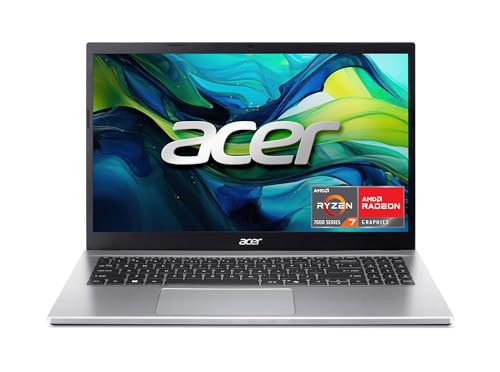
Attribute HP 255 G10 Current NIMO N151 Acer Aspire Go 15 Slim
Price 599.99 USD 399.99 USD 369.99 USD
Screen size 15.6 inches 15.6 Inches 15.6 inches
Resolution 1920 x 1080 pixels 1920 x 1080 pixels 1920 x 1080 pixels
RAM 16 GB 16 GB 8 GB LPDDR5
Storage 1 TB SSD 1024 GB 128 GB Universal Flash Onboard Storage
Wireless WiFi 6 RTL8821CE-M 802.11a/b/g/n/ac (1×1) Wi-Fi and Bluetooth 4.2 wireless card Wi-Fi 6, Bluetooth 5.2 Wi-Fi 6
Editorial score 75/100 74/100 75/100

Against a typical budget Chromebook, the HP 255 G10 is the better choice when you want Windows compatibility, more local storage, and a fuller work setup. A Chromebook still makes more sense if your life is mostly web apps and you want the simplest, most stripped-down route with less concern about storage or desktop software.

Compared with a mainstream office laptop like an HP ProBook or Lenovo ThinkPad entry model, this HP lands as the more value-driven pick. The better-built alternatives usually win on keyboard feel, port confidence, and long-term polish, while this one wins when you want a straightforward Windows machine with a big screen and a lot of storage for the money.

Conclusion and verdict

The HP 255 G10 is easy to recommend for buyers who want a practical Windows laptop with a big screen, strong storage, and enough memory to keep everyday work moving. It solves the core office-and-school problem well, and the current offer is most compelling when you value capacity and comfort over premium finish. I would not steer a buyer here if long battery life, lots of ports, or a more refined touchpad experience are top priorities. For those needs, there are cleaner alternatives; for everyone else, this is a sensible value play with a few well-known compromises.

Still, compare HP 255 G10 with close alternatives if warranty, noise, real battery life, or included accessories are decisive for you.

FAQ

Is this a good laptop for school and office work?

Yes. The 15.6-inch Full HD screen, 16 GB RAM, 1 TB SSD, and numeric keypad make it well suited to documents, browsing, and everyday multitasking.

Does it suit heavy travel or long days away from a charger?

Not as well. It is light enough to move around, but the battery and port experience make it a better fit for desk-based work with occasional mobility.

Jake Miller

About the author

Jake Miller

As a passionate tech enthusiast, I review the latest PCs, laptops, and hardware components. With detailed tests and honest insights, I aim to help users build or buy the perfect setup for their needs.