Screen size
17.3 in
Screen size
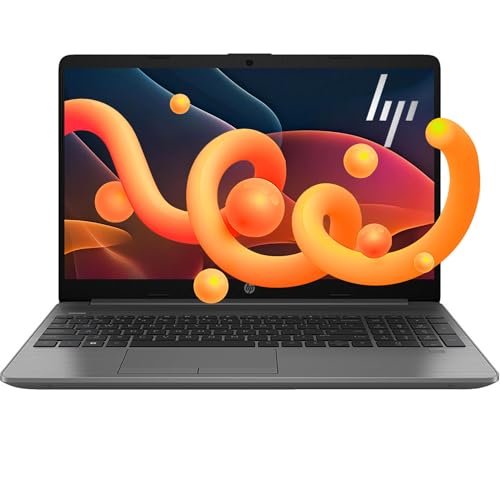
If you want a big-screen Windows laptop for home office, school, or family use, this HP 17.3-inch model makes sense because it pairs a roomy 17.3-inch display with 16 GB of RAM, a 256 GB SSD, a fingerprint reader, and a full number pad. The trade-off is just as clear: it is built for comfortable everyday work, not for buyers who need lots of storage headroom or a more portable carry-around machine.
I’d put this in the “easy daily driver for a desk” lane. It fits best for shoppers who value a large screen, quick setup, and a familiar Windows layout, and it should be skipped by anyone who needs touch input, a lighter travel partner, or a laptop whose storage and platform details leave no room for compromise.
| Screen Size | 17.3 Inches |
|---|---|
| Resolution | 1600 x 900 pixels |
| Processor | Intel Core Duo |
| RAM | 16 GB |
| Storage | 256 GB SSD |
| Operating System | Windows 11 Home |
The 17.3-inch display is the feature that changes how the laptop lives on a desk. It gives you more breathing room for multitasking, reading, and watching content, and the anti-glare finish helps keep reflections from taking over in bright rooms.
The trade-off is resolution density, not usability. At 1600 x 900, the screen is good for everyday work and streaming, but buyers who spend hours on fine text, photo detail, or dense spreadsheets will notice that this is a comfort-first panel rather than a sharpness-first one.
The brushed full-size keyboard with a 10-key pad is a practical advantage for finance, school, and admin work. It saves time on numeric entry and makes the machine feel more like a small desktop replacement than a stripped-down portable.
The fingerprint reader adds a small but real convenience boost every time you wake the laptop. That matters most for people who sign in frequently during the day, while the larger keyboard deck is less appealing if you want a compact machine for couch use or travel.
Windows 11 Home, 16 GB of RAM, and the SSD create a straightforward setup for browsing, documents, calls, and general household use. The machine’s strong setup and performance feedback line up with that role, so the experience is aimed at getting to work quickly rather than managing a complicated first-day routine.
The practical limit is storage pressure. A 256 GB SSD is enough for a lean Windows setup and cloud-centered work, but it leaves less room for local media, large project folders, or a growing app library than the 1 TB class mentioned in the broader product materials.
HP Fast Charge is a useful quality-of-life detail because it reduces the time the laptop spends tethered to the wall. That matters on a big-screen laptop, where the size already nudges it toward desk use and away from constant movement.
It is a convenience feature, not a mobility cure. With a 6-hour battery claim, this is still best treated as a machine that can move around the house or office, then return to the charger before the day gets long.
Open this on a kitchen table or home desk and the first thing that matters is the size of the workspace. The 17.3-inch panel gives you more room for documents, browser tabs, and side-by-side windows than a typical 15.6-inch machine, and the 1600 x 900 resolution works out to about 107 pixels per inch, which is comfortable for general work but not especially sharp for long reading sessions or detailed image work. That makes the screen the main reason to buy it, and also the main reason not to expect premium-panel crispness from it.
For typing, the layout is one of the strongest practical wins. The full keyboard with a 10-key number pad is a real benefit if you spend time in spreadsheets, billing, forms, or schoolwork, and the fingerprint reader adds a quick sign-in step that cuts down on password friction. The downside is desk width and posture; this is the kind of laptop that rewards a stable setup more than lap use, and the large chassis is the price you pay for that easier work surface.
Day-to-day speed looks aligned with normal office life rather than heavy creative work. The 16 GB of RAM and SSD storage support the fast boot and quick app loading people keep calling out, while the integrated graphics and dual-core class processor keep the route firmly in everyday productivity territory. The 256 GB drive is the main practical limit here, because once Windows, Office web use, downloads, and a few large files live on the machine, storage discipline matters more than raw speed.
Calls and casual media are covered well enough for a home routine, not as the headline feature. The Wide Vision 720p camera and digital microphones make it credible for video meetings, and the anti-glare display helps in bright rooms, but the 6-hour battery claim keeps this from being a true all-day unplugged machine. It works best when charging is part of the plan, especially since the value case depends on using the big screen and keyboard often enough to justify the size.
Community
The pattern is straightforward: people like the big screen, quick setup, and fast everyday feel, while the main disappointments cluster around touch support, battery life, and the web-based Office bundle not feeling like a real bonus. The useful lesson is that this laptop wins when you want a roomy Windows workspace, not when you are shopping for a compact or feature-rich premium machine.
This is a great laptop and I’m very happy with it. I got set up with it quickly and easily, and the big screen is large enough that I don’t really miss my old desktop.
Simple setup. Fast speeds great price. It is not touchscreen.
Screen quality is great. Nice and big.
| Attribute | HP 17.3 Fingerprint Reader Current | HP G8 | Lenovo V15 G2 ALC | Acer Aspire Go 15 AI Ready |
|---|---|---|---|---|
| Price | $499.99 | $450.00 | $549.99 | $549.99 |
| Screen Size | 17.3 Inches | 15.6 inches | 15.6 Inches | 15.6 Inches |
| Resolution | 1600 x 900 pixels | 1920 x 1080 pixels | 1920 x 1080 pixels | 1920 x 1080 pixels |
| Processor | Intel Core Duo | - | - | AMD Ryzen 7 7730U |
| RAM | 16 GB | 16 GB | 16 GB | 16 GB |
| Storage | 256 GB SSD | 1 TB | 512 GB | 512 GB |
| Editorial score | 72/100 | 68/100 | 71/100 | 70/100 |
Against the HP G8 and Lenovo V15 G2 ALC, this HP leans harder into screen size and desk comfort. Those 15.6-inch alternatives are easier to carry and, in the case of the Lenovo, offer a 1920 x 1080 panel, so they make more sense if sharper text and a smaller footprint matter more than a giant display and number pad.
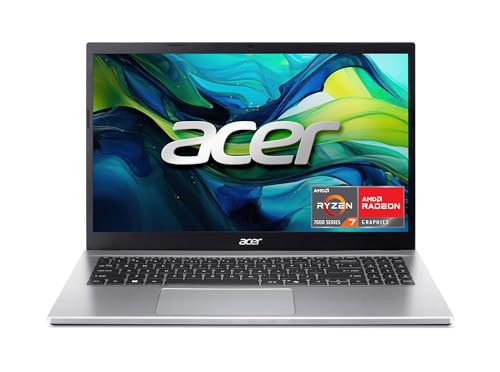
Compared with the Acer Aspire Go 15 AI Ready, the trade-off is similar: Acer’s 15.6-inch FHD route is the cleaner pick for buyers who want a more compact everyday laptop with a sharper panel, while this HP is the better fit if the priority is a bigger work surface and easier numeric entry. If your day is mostly documents, browser tabs, and forms, the HP’s layout is the more comfortable route; if portability and screen crispness matter more, the 15.6-inch class is the smarter lane.
Compare with
Add a second model to activate the direct comparison.
No products match that filter combination.
This is a strong buy for anyone who wants a roomy Windows laptop that feels easy to live with at a desk. The big 17.3-inch screen, number pad, fingerprint reader, and fast everyday response make it a practical pick for home office, school, and family use, and the current offer is attractive if that is the lane you need. Skip it if you want a sharper display, more storage headroom, touch input, or a machine that stays away from the charger longer. The 256 GB SSD and 6-hour battery claim keep the fit centered on everyday productivity, so the best buyer is someone who values comfort and simplicity more than portability or premium-screen polish.