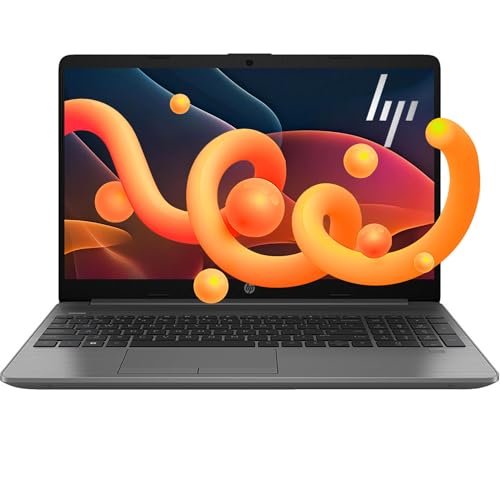
Screen size
18.5 in
Screen size
The Naclud S18 is aimed at a buyer who wants a big 18.5-inch Windows laptop with a roomy screen, lots of ports, and plenty of storage on the box. That makes it relevant for desk-based school or office work, media, and light multitasking, but the real trade-off is that this is not a confidence-inspiring choice when reliability and long-term ownership matter most.
I would only put this on the shortlist if the oversized display, wired connectivity, and bundled Office 365 are the main reasons you are shopping. If you need a laptop that feels dependable out of the gate and stays that way, this is an easy skip, because the strongest signal around it is not speed or polish but a sharp durability concern.
| Screen Size | 18.5 Inches |
|---|---|
| Resolution | 1920 x 1080 pixels |
| Processor | Celeron N5095 Quad-Core |
| RAM | 20 GB |
| Storage | 1024 GB SSD + 128 GB eMMC |
| Wireless | Wi-Fi 6 and Bluetooth 5.2 |
| Ports | USB-C/Type-C; HDMI |
The 18.5-inch 1920 x 1080 display is the part of the spec that changes the day-to-day experience most. It gives you more room for side-by-side documents, spreadsheets, and video than a smaller 15- or 16-inch laptop, and the 180° hinge makes it easier to share the screen in a meeting or study session.
That size is the selling point, but it is also the compromise. It favors desk comfort over portability, so this is better treated as a home or office laptop than a commuter companion.
The port set is unusually practical for a budget Windows laptop: HDMI, three USB 3.2 ports, RJ45 Ethernet, a headphone jack, a TF card slot, and a full-featured Type-C port.
That matters because it lowers the friction of first setup and daily use. You can connect a monitor, move files, and use wired internet without building a dongle chain, which is a real plus for school desks or a fixed home workstation. The Type-C charging note also means the power setup is not completely generic, so the charger you use matters.
The configuration lists 20 GB of RAM, 1024 GB of SSD storage, and 128 GB of eMMC storage, which is a lot of space for documents, downloads, and media at this price tier.
For everyday use, that combination keeps the laptop from feeling cramped when you open several apps at once. The limitation is not capacity but platform class: this is still a Celeron-based machine, so the storage and memory help with comfort more than with demanding speed.
For a desk setup where the screen has to do most of the work, the 18.5-inch 1080p panel is the headline. At this size, the display works out to roughly 119 pixels per inch, which is fine for documents, browsing, and video, and the 180° hinge adds flexibility when you want to tilt it flat for sharing or angle it back for a fixed workspace. The upside is obvious: more room to read and arrange windows. The trade-off is equally obvious: this is a large laptop first, not a carry-everywhere machine.
On a normal workday, the port mix matters as much as the screen. HDMI, three USB 3.2 ports, RJ45 Ethernet, a headphone jack, a TF card slot, and a full-featured Type-C port give it a practical desktop-style layout, and Wi-Fi 6 plus Bluetooth 5.2 cover the wireless side without feeling stripped down. That makes it easier to plug in a monitor, a keyboard, or a wired network without living on adapters. The catch is that the Type-C charging note and the 36W+ adapter guidance make the power setup feel more specific than simple.
The performance story is more modest. A Celeron N5095 with 20 GB of installed RAM and 1 TB of SSD storage gives enough headroom for browser tabs, documents, and everyday media, and the extra eMMC layer adds a second storage path. That is a useful amount of memory for routine multitasking, but it is still a budget-class platform, so the value lives in basic productivity comfort rather than heavy workloads. The one review signal attached to the model cuts hard in the opposite direction, so this is only a sensible buy if you care more about the feature set than about ownership certainty.
| Attribute | Naclud-S18 Current | HP 14-dq6011dx | HP Stream 14 | HP 14-dq0040nr |
|---|---|---|---|---|
| Price | Out of stock | Out of stock | Out of stock | $279.00 |
| Screen Size | 18.5 Inches | 14 inches | 14 Inches | 14 inches |
| Resolution | 1920 x 1080 pixels | 1366 x 768 (HD) | 1366 x 768 pixels | 1366 x 768 (HD) |
| Processor | Celeron N5095 Quad-Core | Intel Processor N150 | Intel Processor N150 | Intel Processor N150 |
| RAM | 20 GB | 16GB DDR4 | 8 GB DDR4 | 4 GB |
| Storage | 1024 GB SSD + 128 GB eMMC | 128gb Universal Flash Storage plus 256GB Micro SD card | 128 GB UFS | 128 GB UFS |
| Wireless | Wi-Fi 6 and Bluetooth 5.2 | Wi-Fi 6 | Wi-Fi | - |
| Editorial score | 64/100 | 66/100 | 65/100 | 70/100 |
Against a typical 15.6-inch budget Windows laptop, the Naclud S18 wins on screen room and port convenience. If you want a machine that lives on a desk and can double as a simple monitor-like workspace, this size and layout make sense. If you need something easier to carry every day, the smaller mainstream route is the better fit.
Compared with a more clearly positioned mainstream laptop from a bigger brand, this model offers a more aggressive storage-and-ports package but far less peace of mind. The Naclud makes sense for a buyer who values the big panel and wired flexibility above everything else. A better-known alternative is the safer choice when durability, support confidence, and long-term consistency matter more than the raw feature count.
Compare with
Add a second model to activate the direct comparison.
No products match that filter combination.
The Naclud S18 makes its best case as a large, practical Windows laptop for a fixed workspace. The screen size, 1 TB SSD, 20 GB RAM, Wi-Fi 6, Ethernet, and bundled Office 365 give it a useful shape for school or office routines, and if the current offer is attractive, that combination can be compelling for a buyer who wants a lot of desk utility in one machine. The problem is that the ownership risk is too loud to ignore. A laptop with this kind of reliability signal is hard to recommend for anyone who needs a dependable daily driver, and that is why I would only choose it for a very specific desk-bound use case rather than as a general-purpose purchase.
Desk use. The 18.5-inch screen, Ethernet port, and full-size port mix make it much more natural on a table than in a bag.
Yes. HDMI, three USB 3.2 ports, RJ45 Ethernet, Bluetooth 5.2, Wi-Fi 6, and Type-C cover the basics without forcing immediate adapter purchases.