25 models analyzed

Best Monitors 2026

Reviews and comparisons for Monitors, focused on clarity and workspace, motion and responsiveness so you can choose by use case and budget.

Best value

Top 5 best value monitors (July 2026)

Compare value monitors with updated prices, editorial scores, technical data, and buyer satisfaction before choosing.

Philips 221V8LB

Current winner

Philips 221V8LB 88.7/100 $75.62 Top for Clarity and workspace Top for Value By Use Case VA
Ranking podium
  1. Philips 221V8LB 88.7/100
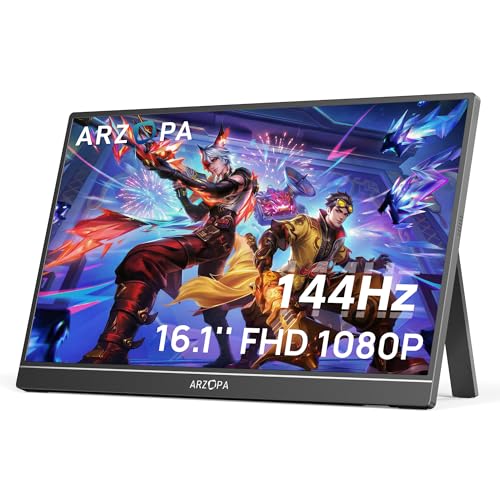
  2. ARZOPA A1 86.3/100
Full table, criteria, and recommended alternatives Open the full ranking

Recommendations by use case

These shortcuts come from the category's active use cases and stay in sync with each cohort analysis block.

Category data snapshot

Practical snapshot of Monitors: current prices, documented specs, and the axes where reviewed products differ most.

Typical current price

$118.69 reference price
range $40.99 - $284.99

Typical range in Office productivity

$88.97 - $147.54 middle range
40% of catalog

Refresh rate with strongest coverage

100 Hz typical value
appears in 100%

Best products by category

What to check before choosing

  • Clarity and workspace Clarity and workspace decides whether the monitor is a strong real-world fit rather than just a plausible spec-sheet option.
  • Motion and responsiveness Motion and responsiveness decides whether the monitor is a strong real-world fit rather than just a plausible spec-sheet option.
  • Panel and image intent Panel and image intent decides whether the monitor is a strong real-world fit rather than just a plausible spec-sheet option.
  • Ergonomics and ports Ergonomics and ports decides whether the monitor is a strong real-world fit rather than just a plausible spec-sheet option.
  • Value By Use Case Value By Use Case decides whether the monitor is a strong real-world fit rather than just a plausible spec-sheet option.

Browse and filter Monitors

Search by text, sort products, and surface the key features that matter most to you.

25 reviews analysed 18 with price 7 out of stock
Price: Any
Brands: Any

None

18 products

Dell S2725QS
Dell Office productivity

Dell S2725QS

(803)
$218.49
IPS HDR Built-in speakers
Samsung LS27DG302ENXZA
Samsung High-refresh gaming

Samsung LS27DG302ENXZA

(1719)
$149.99
Height adjustable
Samsung LS32B304NWNXGO
Samsung Office productivity

Samsung LS32B304NWNXGO

(1579)
$149.99
SANSUI Curved Monitor 27 inch 120Hz USB Type-C
SANSUI High-refresh gaming

SANSUI Curved Monitor 27 inch 120Hz USB Type-C

(5291)
$109.99
Curved USB-C HDR
Amazon Basics 27E2UA
Amazon Basics Office productivity

Amazon Basics 27E2UA

(1146)
$97.97
IPS Built-in speakers VESA
Samsung LC34G55TWWNXZA
Samsung High-refresh gaming

Samsung LC34G55TWWNXZA

(2564)
$265.04
VA Curved HDR
Samsung LS27D366GANXZA
Samsung

Samsung LS27D366GANXZA

(2085)
$127.39
Curved
ARZOPA Z1FC
ARZOPA Portable monitor

ARZOPA Z1FC

(2671)
$109.99
IPS USB-C HDR
ARZOPA A1
ARZOPA Portable monitor

ARZOPA A1

(2864)
$79.99
IPS USB-C
Philips 221V8LB
Philips Office productivity

Philips 221V8LB

(3498)
$75.62
VA VESA
Dell S2425HS Monitor - 23.8 Inch
Dell Office productivity

Dell S2425HS Monitor - 23.8 Inch

(1466)
$145.08
IPS Height adjustable Built-in speakers

Best brands for monitors

We compare 25 published monitors models across catalog depth, editorial score, user average on a 0-100 scale, average price and the axes where each maker stands out.

Models compared 25 models (6 brands)
Best user score Philips (88/100)
Best editorial score Acer (88/100)
Lowest average price Philips ($76)
7 models
Clarity and workspace 87/100
Panel and image intent 84/100
Motion and responsiveness 70/100
78/100 Average score
83/100 Average users
Average price $176

11,442 reviews

View Samsung catalog
6 models
Clarity and workspace 88/100
Panel and image intent 84/100
Value By Use Case 72/100
80/100 Average score
85/100 Average users
Average price $168

6,459 reviews

View Dell catalog
2 models Best score
Clarity and workspace 85/100
Panel and image intent 83/100
Value By Use Case 78/100
88/100 Average score
86/100 Average users
Average price $132

5,985 reviews

View Acer catalog

Philips

1 model Best user rating Lowest price Best for Ergonomics Best for Value By Use Case
Clarity and workspace 87/100
Value By Use Case 87/100
Panel and image intent 81/100
83/100 Average score
88/100 Average users
Average price $76

3,498 reviews

View Philips catalog
1 model Best for Clarity Best for Motion
Clarity and workspace 90/100
Motion and responsiveness 89/100
Panel and image intent 88/100
81/100 Average score
80/100 Average users

163 reviews

View ASUS catalog

BenQ

1 model Best for Panel
Panel and image intent 89/100
Clarity and workspace 84/100
Ergonomics and ports 68/100
74/100 Average score
79/100 Average users

364 reviews

View BenQ catalog

Quick read

Acer leads editorial average (88/100); Philips stands out with users (88/100); Philips has the lowest average price ($76).

Best picks by budget

Compare the best Monitors

Quick comparisons

Select 2 products to see the comparison in this section.

Best Office productivity

This section separates Office productivity within Monitors using the current category data, visible reviews and price context so the recommendation fits a concrete use case instead of mixing every model together.

  • Real fit Prioritize models classified for this use case, then compare price, availability and editorial score.
  • Dynamic selection The block is hydrated from the current decision pack so the recommendations are not static.

Best High-refresh gaming

This section separates High-refresh gaming within Monitors using the current category data, visible reviews and price context so the recommendation fits a concrete use case instead of mixing every model together.

  • Real fit Prioritize models classified for this use case, then compare price, availability and editorial score.
  • Dynamic selection The block is hydrated from the current decision pack so the recommendations are not static.

Best Portable monitor

This section separates Portable monitor within Monitors using the current category data, visible reviews and price context so the recommendation fits a concrete use case instead of mixing every model together.

  • Real fit Prioritize models classified for this use case, then compare price, availability and editorial score.
  • Dynamic selection The block is hydrated from the current decision pack so the recommendations are not static.

Monitors below their usual price

We monitor the market continuously and found these Monitors models below their usual price.

Updated: 2026-07-05 00:55 UTC

Best deals right now

What to look for when choosing a monitor

The right monitor depends first on what you do at the desk: reading and spreadsheets, gaming, creative work, ultrawide multitasking, or portable use. The biggest differences come from text clarity, usable screen space, motion handling, panel intent, stand adjustability, and the ports you actually need.

Use case Prioritize Avoid paying more for
Office Work Sharp Text, Comfortable Size, Height Adjustment Extreme Refresh Rates
Competitive Gaming High Refresh, Response Evidence, Adaptive Sync Extra Workspace Features
Ultrawide Multitasking Wide Workspace, Desk Fit, Useful Ports Specs That Do Not Help Split-Screen Work
Photo Or Video Editing Panel Intent, Color Evidence, Resolution Gaming-Led Features Alone
Laptop Companion USB-C, Easy Setup, Practical Size Bulky Chassis Or Extra Inputs You Will Not Use

Office Work

Prioritize Sharp Text, Comfortable Size, Height Adjustment
Avoid paying more for Extreme Refresh Rates

Competitive Gaming

Prioritize High Refresh, Response Evidence, Adaptive Sync
Avoid paying more for Extra Workspace Features

Ultrawide Multitasking

Prioritize Wide Workspace, Desk Fit, Useful Ports
Avoid paying more for Specs That Do Not Help Split-Screen Work

Photo Or Video Editing

Prioritize Panel Intent, Color Evidence, Resolution
Avoid paying more for Gaming-Led Features Alone

Laptop Companion

Prioritize USB-C, Easy Setup, Practical Size
Avoid paying more for Bulky Chassis Or Extra Inputs You Will Not Use
Decision Matrix

What actually matters most

Text Clarity

High

It matters most for office work, coding, and long reading sessions where fuzzy scaling or low pixel density becomes daily eye strain.

Workspace

High

It matters when you keep multiple windows open, compare documents, or want one screen to replace a dual-monitor setup.

Refresh Rate

High · Gaming

It matters mainly for fast games where smoother motion and quicker visual updates help more than they do in normal desk work.

Panel Type

Medium/High

It matters when viewing angles, contrast style, or color-focused work should shape the buying decision instead of generic spec-sheet claims.

Stand Ergonomics

Medium/High

It matters if the monitor will be used for hours a day, because poor height or tilt adjustment creates avoidable neck and desk-position problems.

Ports

Medium

It matters when your setup depends on USB-C, multiple video inputs, or a simple one-cable connection to a laptop.

Brightness And HDR

Medium

It matters more in bright rooms or HDR use, but only when there is clear evidence instead of vague marketing language.

Common Mistakes

Mistakes to avoid when choosing

Buying Size Without Checking Resolution

A bigger screen with the wrong resolution can look less sharp and give you less useful workspace than expected.

Paying For Refresh You Will Not Use

Very high refresh rates add value for gaming, but they do little for email, documents, and general office tasks.

Ignoring Stand And VESA Fit

A good panel becomes annoying fast if the screen sits too low, cannot adjust properly, or will not fit your mount.

Assuming All USB-C Setups Are Equal

USB-C can mean very different things, so missing power delivery or limited video support can change the whole setup experience.

Treating HDR As Proof Of Image Quality

HDR labeling alone does not confirm strong brightness, contrast, or real visual improvement for movies or games.

Using Ultrawide Without Measuring Desk Fit

Ultrawide screens can solve multitasking, but they also demand more desk depth, more width, and sometimes more graphics power.

How we review this category

A monitor should be judged by the job it does on the desk: text clarity, workspace, motion, panel intent, ergonomics, ports, and value by use case. The review must not turn missing brightness, color, or response data into invented measurements.

In Monitors, the verdict shifts most around Clarity and workspace, Motion and responsiveness, Panel and image intent and Ergonomics and ports.

What we review in this category

For monitors we review documented evidence around workspace clarity, motion, panel intent, ergonomics, ports, use-case value, price, and user feedback when useful.

Clarity and workspace

Weight 24%. Clarity and workspace decides whether the monitor is a strong real-world fit rather than just a plausible spec-sheet option.

See technical evidence we review

Technical measures

  • Screen size, resolution, pixel density, aspect ratio, scaling, curvature, and ultrawide format.
  • Text clarity and workspace fit for office, coding, creator, gaming, or portable use.

Reading context

  • Resolution is read with size; 1080p, 1440p, 4K, and ultrawide do not mean the same thing at every diagonal.
  • Portable monitors and desktop monitors are interpreted in different usage contexts.

Common cautions

  • Large size alone is not treated as high clarity.
  • A portable panel should not be ranked like a full desktop monitor without use-case context.

Motion and responsiveness

Weight 20%. Motion and responsiveness decides whether the monitor is a strong real-world fit rather than just a plausible spec-sheet option.

See technical evidence we review

Technical measures

  • Native refresh rate, response time claims, VRR/Adaptive-Sync, input lag clues, overdrive, and gaming mode.
  • Motion evidence for esports, console, casual gaming, or office scrolling.

Reading context

  • High refresh is valuable when paired with response and VRR evidence.
  • Gaming claims are read differently for 75Hz, 144Hz, 240Hz, OLED, and portable panels.

Common cautions

  • Refresh rate alone does not prove motion quality.
  • Very low response-time claims are treated cautiously without panel and overdrive context.

Panel and image intent

Weight 20%. Panel and image intent decides whether the monitor is a strong real-world fit rather than just a plausible spec-sheet option.

See technical evidence we review

Technical measures

  • Panel type, brightness in nits, contrast, color gamut, HDR, local dimming, OLED, IPS/VA/TN, and calibration evidence.
  • Creator, gaming, office, and media routes change how color and contrast are read.

Reading context

  • A creator monitor needs color evidence; a gaming monitor needs motion evidence; an office monitor needs comfort and clarity.
  • HDR labels require brightness, panel, and dimming context to carry weight.

Common cautions

  • Generic “vivid colors” wording is weak evidence.
  • HDR without meaningful brightness or dimming is not read as premium HDR.

Ergonomics and ports

Weight 18%. Ergonomics and ports decides whether the monitor is a strong real-world fit rather than just a plausible spec-sheet option.

See technical evidence we review

Technical measures

  • Height, tilt, swivel, pivot, VESA, stand footprint, USB-C, power delivery, HDMI, DisplayPort, hub, KVM, and speakers.
  • Desk fit, cable simplicity, laptop docking, and multi-device workflows.

Reading context

  • Ergonomics matter more for daily work than for occasional second-screen use.
  • USB-C with power delivery can change a monitor’s value for laptop users.

Common cautions

  • USB-C wording is incomplete without power/video capability.
  • A fixed stand can limit an otherwise strong panel for long work sessions.

Value By Use Case

Weight 18%. Value By Use Case decides whether the monitor is a strong real-world fit rather than just a plausible spec-sheet option.

See technical evidence we review

Technical measures

  • Use-case cohort, screen class, panel evidence, stand/ports, warranty context, and current price.
  • Portable, office, gaming, creator, and ultrawide routes are compared separately.

Reading context

  • Value depends on the job the monitor is bought for, not only the largest diagonal or highest refresh.
  • A cheaper portable monitor can be good in its lane without leading the whole category.

Common cautions

  • One standout spec should not dominate when the rest of the package is basic.
  • Cross-cohort comparisons are read cautiously.

Editorial judgement still leaves room for incomplete documentation, weak claims, or practical friction that a spec table does not fully capture.

Which buyer routes change the verdict

We do not score every option through one fixed lens: Office productivity, Gaming high refresh, Ultrawide multitasking and Creator color change the priorities, so a strong recommendation for one route can be the wrong fit for another.

Signals that separate strong picks from weak ones

We pay close attention to the visible signals that usually decide the shortlist: Screen size, Resolution, Panel type and Refresh rate.

  • Clarity and workspace: Clarity and workspace decides whether the monitor is a strong real-world fit rather than just a plausible spec-sheet option.. clarity and workspace, explicit source evidence, buyer impact and daily-use friction
  • Motion and responsiveness: Motion and responsiveness decides whether the monitor is a strong real-world fit rather than just a plausible spec-sheet option.. motion and responsiveness, explicit source evidence, buyer impact and daily-use friction
  • Panel and image intent: Panel and image intent decides whether the monitor is a strong real-world fit rather than just a plausible spec-sheet option.. panel and image intent, explicit source evidence, buyer impact and daily-use friction
  • Ergonomics and ports: Ergonomics and ports decides whether the monitor is a strong real-world fit rather than just a plausible spec-sheet option.. ergonomics and ports, explicit source evidence, buyer impact and daily-use friction
  • Unclear evidence for the main monitor buying route.

The usage scenes we keep in view

We read this category through practical usage scenes such as Desk text work, Motion check, Setup fit and Image intent. That context shift stops unlike products from being treated as if they solved the same problem.

How to use this page

Use the category listing to narrow the field, then open the reviews that match your route, budget, and setup constraints. A good shortlist here is not the one with the most headline specs, but the one whose trade-offs fit the way the product will actually be used.


FAQs About Monitors

Which monitor is best for office work?

For office work, prioritize text clarity, screen size, resolution, and ergonomic adjustability over flashy specs. A monitor that is easy to read, fits your desk, and can be positioned at a comfortable height usually delivers better day-to-day value than one with higher refresh rates.

Is a higher refresh rate important for a monitor?

A higher refresh rate matters most for gaming and other motion-heavy use, where smoother movement and lower perceived blur improve the experience. For spreadsheets, documents, and general productivity, refresh rate is usually less important than resolution, panel quality, and ergonomics.

What should I look for in an ultrawide monitor?

Ultrawide monitors are best when you want more horizontal workspace for multitasking, timelines, or side-by-side windows. Before buying, check desk depth, app compatibility, and whether your graphics setup can comfortably drive the resolution you plan to use.

Is USB-C useful on a monitor?

USB-C can simplify a setup by carrying video and, on some monitors, charging a laptop through one cable. It is especially useful for portable or laptop-first desks, but you should confirm the exact USB-C feature set because not every USB-C monitor supports power delivery or full video input the same way.

What panel type should I choose: IPS, VA, or OLED?

IPS is often chosen for broad everyday use and consistent viewing angles, VA is commonly selected for stronger contrast, and OLED is typically favored when image quality and motion performance are the priority. The right choice depends on whether you value text work, general use, contrast, or premium image intent most.

Do monitor ergonomics really matter?

Yes, ergonomics can change how comfortable a monitor feels after hours of use. Height adjustment, tilt, swivel, and VESA support can reduce neck strain and make it easier to match the screen to your desk setup.