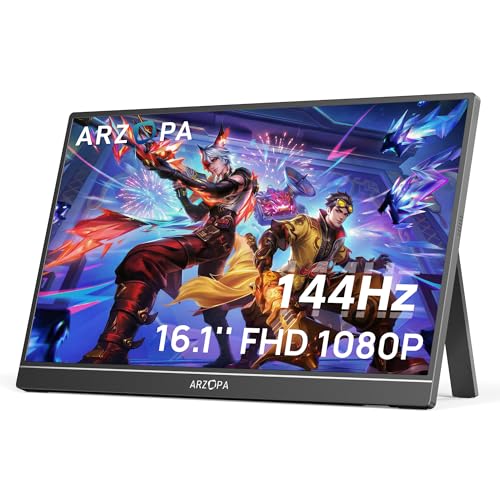
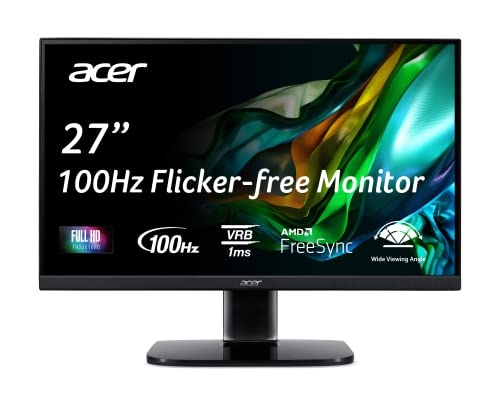
How we review this category
A monitor should be judged by the job it does on the desk: text clarity, workspace, motion, panel intent, ergonomics, ports, and value by use case. The review must not turn missing brightness, color, or response data into invented measurements.
In Monitors, the verdict shifts most around Clarity and workspace, Motion and responsiveness, Panel and image intent and Ergonomics and ports.
What we review in this category
For monitors we review documented evidence around workspace clarity, motion, panel intent, ergonomics, ports, use-case value, price, and user feedback when useful.
Clarity and workspace
Weight 24%. Clarity and workspace decides whether the monitor is a strong real-world fit rather than just a plausible spec-sheet option.
See technical evidence we review
Technical measures
- Screen size, resolution, pixel density, aspect ratio, scaling, curvature, and ultrawide format.
- Text clarity and workspace fit for office, coding, creator, gaming, or portable use.
Reading context
- Resolution is read with size; 1080p, 1440p, 4K, and ultrawide do not mean the same thing at every diagonal.
- Portable monitors and desktop monitors are interpreted in different usage contexts.
Common cautions
- Large size alone is not treated as high clarity.
- A portable panel should not be ranked like a full desktop monitor without use-case context.
Motion and responsiveness
Weight 20%. Motion and responsiveness decides whether the monitor is a strong real-world fit rather than just a plausible spec-sheet option.
See technical evidence we review
Technical measures
- Native refresh rate, response time claims, VRR/Adaptive-Sync, input lag clues, overdrive, and gaming mode.
- Motion evidence for esports, console, casual gaming, or office scrolling.
Reading context
- High refresh is valuable when paired with response and VRR evidence.
- Gaming claims are read differently for 75Hz, 144Hz, 240Hz, OLED, and portable panels.
Common cautions
- Refresh rate alone does not prove motion quality.
- Very low response-time claims are treated cautiously without panel and overdrive context.
Panel and image intent
Weight 20%. Panel and image intent decides whether the monitor is a strong real-world fit rather than just a plausible spec-sheet option.
See technical evidence we review
Technical measures
- Panel type, brightness in nits, contrast, color gamut, HDR, local dimming, OLED, IPS/VA/TN, and calibration evidence.
- Creator, gaming, office, and media routes change how color and contrast are read.
Reading context
- A creator monitor needs color evidence; a gaming monitor needs motion evidence; an office monitor needs comfort and clarity.
- HDR labels require brightness, panel, and dimming context to carry weight.
Common cautions
- Generic “vivid colors” wording is weak evidence.
- HDR without meaningful brightness or dimming is not read as premium HDR.
Ergonomics and ports
Weight 18%. Ergonomics and ports decides whether the monitor is a strong real-world fit rather than just a plausible spec-sheet option.
See technical evidence we review
Technical measures
- Height, tilt, swivel, pivot, VESA, stand footprint, USB-C, power delivery, HDMI, DisplayPort, hub, KVM, and speakers.
- Desk fit, cable simplicity, laptop docking, and multi-device workflows.
Reading context
- Ergonomics matter more for daily work than for occasional second-screen use.
- USB-C with power delivery can change a monitor’s value for laptop users.
Common cautions
- USB-C wording is incomplete without power/video capability.
- A fixed stand can limit an otherwise strong panel for long work sessions.
Value by use case
Weight 18%. Value By Use Case decides whether the monitor is a strong real-world fit rather than just a plausible spec-sheet option.
See technical evidence we review
Technical measures
- Use-case cohort, screen class, panel evidence, stand/ports, warranty context, and current price.
- Portable, office, gaming, creator, and ultrawide routes are compared separately.
Reading context
- Value depends on the job the monitor is bought for, not only the largest diagonal or highest refresh.
- A cheaper portable monitor can be good in its lane without leading the whole category.
Common cautions
- One standout spec should not dominate when the rest of the package is basic.
- Cross-cohort comparisons are read cautiously.
Editorial judgement still leaves room for incomplete documentation, weak claims, or practical friction that a spec table does not fully capture.
Which buyer routes change the verdict
We do not score every option through one fixed lens: Office productivity, Gaming high refresh, Ultrawide multitasking and Creator color change the priorities, so a strong recommendation for one route can be the wrong fit for another.
Signals that separate strong picks from weak ones
We pay close attention to the visible signals that usually decide the shortlist: Screen size, Resolution, Panel type and Refresh rate.
- Clarity and workspace: Clarity and workspace decides whether the monitor is a strong real-world fit rather than just a plausible spec-sheet option.. clarity and workspace, explicit source evidence, buyer impact and daily-use friction
- Motion and responsiveness: Motion and responsiveness decides whether the monitor is a strong real-world fit rather than just a plausible spec-sheet option.. motion and responsiveness, explicit source evidence, buyer impact and daily-use friction
- Panel and image intent: Panel and image intent decides whether the monitor is a strong real-world fit rather than just a plausible spec-sheet option.. panel and image intent, explicit source evidence, buyer impact and daily-use friction
- Ergonomics and ports: Ergonomics and ports decides whether the monitor is a strong real-world fit rather than just a plausible spec-sheet option.. ergonomics and ports, explicit source evidence, buyer impact and daily-use friction
- Unclear evidence for the main monitor buying route.
The usage scenes we keep in view
We read this category through practical usage scenes such as Desk text work, Motion check, Setup fit and Image intent. That context shift stops unlike products from being treated as if they solved the same problem.
How to use this page
Use the category listing to narrow the field, then open the reviews that match your route, budget, and setup constraints. A good shortlist here is not the one with the most headline specs, but the one whose trade-offs fit the way the product will actually be used.