Ranking medal
Silver in Best value
This product is top 2 in a published dynamic ranking.
Ranking medal
This product is top 2 in a published dynamic ranking.
The ARZOPA A1 is aimed at anyone who wants a true second screen without turning a desk or travel bag into a full monitor setup. Its 15.6-inch 1080p IPS panel, built-in kickstand, and USB-C plus HDMI connectivity make it a practical add-on for laptops, phones, and consoles, especially when portability matters more than raw desktop scale. The trade-off is straightforward: you get convenience, not a large workspace.
This is the kind of portable monitor that makes sense for remote work, hotel desks, and quick gaming sessions on a laptop or console. If you want a light, plug-and-play side screen that slips into a bag, it fits the brief well; if you need a bigger canvas for multitasking or a more serious creator setup, the 15.6-inch size is the part most likely to feel tight.
| Screen Size | 15.6 Inches |
|---|---|
| Resolution | 1920 x 1080 |
| Panel Type | IPS |
| Refresh Rate | 60 Hz |
| Response Time | 3 Milliseconds |
| Brightness | 300 cd/m² |
The A1 is built around a 15.6-inch 1080p IPS panel with a 16:9 shape and a matte surface. That combination is the main reason it works as a laptop companion rather than a desk replacement.
For day-to-day work, it gives you enough clarity for text, tabs, and media without demanding much space. The practical limit is workspace, not sharpness: it solves the “need another screen” problem better than the “need more room” problem.
The integrated kickstand and metal build make the monitor easier to place on a desk, shelf, or hotel table without extra accessories. That matters because portable monitors lose their appeal fast when setup becomes a small project.
Here, the appeal is low friction. You can move from closed laptop to usable second screen quickly, which is exactly what makes this type of display worth carrying. The trade-off is that a compact stand-based design will never feel as planted as a full-size monitor on a fixed arm.
USB-C and HDMI support give the monitor a wide practical reach across laptops, Macs, phones, and consoles. The strongest buyer question this answers is simple: one screen can cover work and play without forcing a special docked setup.
That flexibility is a major part of the value. It also explains why this model fits mixed-use buyers better than people who want one dedicated desktop display. If your routine changes often, the connection options matter more than a single-purpose feature set.
The monitor’s 1.6 lb weight and slim profile are not just nice-to-have details; they define the product’s purpose. This is the kind of screen you actually bring along instead of leaving in a closet.
That makes it especially useful for commuting workers and frequent travelers. The caveat is obvious but important: portability and screen real estate pull in opposite directions, so the A1 rewards buyers who prioritize mobility over a larger desktop feel.
On a laptop desk, the A1’s job is simple: give you more room for documents, chat, and reference windows without adding much clutter. The 15.6-inch panel at 1920 x 1080 works out to about 141 pixels per inch, which is a sensible density for text and everyday office use at arm’s length. That keeps the screen sharp enough for spreadsheets and browser work, while the smaller footprint is the real win if your setup changes from home desk to kitchen table to hotel room.
For travel, the weight and thickness matter as much as the picture. At 1.6 lb and about 0.35 inch thick, it is easy to pack beside a laptop, and the built-in kickstand removes one more piece of gear from the bag. That makes setup feel quick rather than fussy. The flip side is that the same compact size that makes it travel well also limits how much breathing room you get when you spread out multiple windows.
The connectivity story is the other practical strength. USB-C and HDMI cover the common routes, and the plug-and-play approach keeps the first few minutes simple whether the screen is paired with a Mac, PC, phone, or console. The 60 Hz refresh rate and 3 ms response time are enough for casual gaming and general motion, but this is not a high-refresh play. For PS5 or Xbox use, it reads as a convenience screen first and a performance screen second.
Community
The recurring pattern is easy to read: people are happiest when they use the A1 as a lightweight second screen for work, travel, or consoles, and less happy when they want a larger workspace or run into a setup mismatch. The practical lesson is that this monitor wins on portability and convenience first, then on image quality second.
I’ve had this portable monitor for more than 4 months now, and it still works perfectly. I use it regularly with my laptop and sometimes with my PS5, and it has been super reliable the entire time.
I’ve been using the ARZOPA 15.6" FHD Portable Monitor as part of my work-from-home setup and while traveling, and it has exceeded my expectations.
I’ve had this monitor for over a month now and have no complaints. I use it as a second screen for my laptop and have also used it for gaming. It’s easy to connect and light weight.
As a frequent traveler who often works remotely, I was impressed with its slim design and vibrant display, but I ultimately returned it because I needed a larger screen for my workflow.
| Attribute | ARZOPA A1 Current | KEFEYA S1 | ARZOPA Z1FC | Yxk Y1562 |
|---|---|---|---|---|
| Price | $79.99 | - | $109.99 | $40.99 |
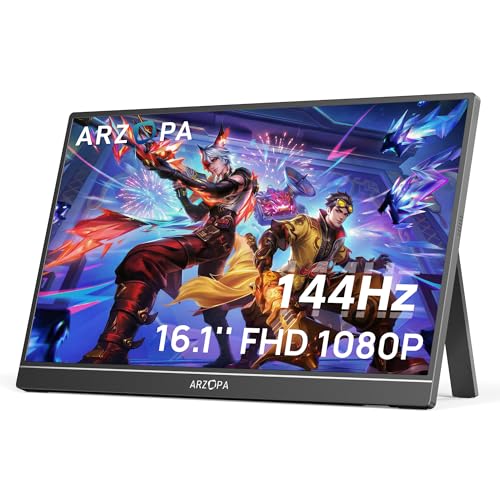
| Screen Size | 15.6 Inches | 14 Inches | 16.1 inches | 15.6 Inches |
| Resolution | 1920 x 1080 | FHD 1080p | 1080 pixels | FHD 1080p |
| Panel Type | IPS | - | IPS | - |
| Refresh Rate | 60 Hz | 60Hz | 144Hz | 60 Hz |
| Brightness | 300 cd/m² | 300 candela | - | 250 Candela per Square Meter |
| Editorial score | 75/100 | 72/100 | 76/100 | 71/100 |
Against the Samsung LS24D304GANXZA, the ARZOPA is the more mobile choice. Samsung’s 24-inch IPS panel and 100 Hz refresh make more sense if you want a full-time desk monitor with more room and smoother motion, while the A1 is the better pick when the screen has to travel and plug into different devices without taking over the bag.
Compared with the Amazon Basics 27E2UA, the ARZOPA gives up a lot of workspace. The 27-inch Amazon Basics model is the better route for a fixed office setup where screen width matters most, while the A1 is the one to buy if the real job is adding a second display to a laptop, not replacing a desk monitor. The portable format is the whole point, and that is also the main limitation.
Compare with
Add a second model to activate the direct comparison.
No products match that filter combination.
The ARZOPA A1 makes the most sense for buyers who want a compact second screen that is easy to pack, easy to place, and easy to connect. Its 15.6-inch 1080p IPS panel, 1.6 lb weight, kickstand, and USB-C plus HDMI support line up cleanly with remote work and travel, and the current offer is strong enough to make it a sensible value pick in the portable-monitor lane.
Skip it if your priority is desk-scale multitasking, a larger workspace, or faster gaming motion. The 60 Hz panel and compact size keep the A1 in the convenience category, not the performance category, and that is the right trade-off only when portability is the reason you are shopping.
Yes. The 15.6-inch 1080p IPS screen, low weight, and built-in kickstand make it a strong fit for a mobile second-screen routine.
Yes. USB-C and HDMI support, plus the wide device compatibility, make it useful for PS5, Xbox, Macs, PCs, and supported phones.