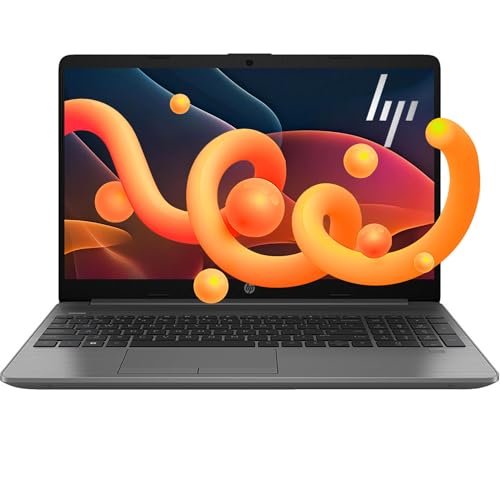
If you want the most capable all-around HP here, start with the HP ProBook 460 G11. If you want a simpler low-friction laptop for school and web work, the Chromebook options make more sense.
The strongest pick depends on how you work. In this HP ranking, the best overall option is not the same as the best Chromebook, best budget pick, or best work-focused machine.
18 HP models compared
Scores from 7.0 to 8.1
14-inch to 16-inch screens
Windows and Chrome OS options
Most HP laptops in this group look similar at first glance, but the real split is clear once you compare resolution, RAM, storage, and operating system. A 16 GB model with a 1366 x 768 screen solves a different problem than a Full HD Chromebook or a 16-inch Ryzen business laptop.
The ranking favors fit over hype. Models are judged by how well their published specifications support real buyer needs such as schoolwork, browser-heavy office use, portability, display comfort, and storage headroom. A 16-inch 1920 x 1200 laptop with Ryzen 7 and 16 GB DDR5 serves a very different buyer than a 14-inch Chromebook with 4 GB RAM and 64 GB eMMC, so the method rewards the right match, not just one headline spec.
1
Use-case fit
Setup: Each laptop is grouped by likely role: basic school use, everyday Windows work, large-screen home use, or business productivity.
Evaluation rule: Higher marks go to models whose specs clearly match a defined use case without obvious bottlenecks.
2
Display and workspace check
Setup: Screens are compared by size and resolution only when those values are directly available.
Measured variable: Panel resolution and usable screen area.
Evaluation rule: 1920 x 1080 or 1920 x 1200 models score better for reading and side-by-side work than 1366 x 768 panels, especially at 15.6 inches or larger.
3
Multitasking and storage headroom
Setup: Memory and storage are compared across the same catalog set.
Measured variable: RAM capacity and storage type or capacity.
Evaluation rule: 16 GB or more is favored for Windows multitasking, while 64 GB eMMC or 128 GB class storage is treated as a limiting factor for local files and app growth.
4
Connectivity and practical ownership
Setup: Extra credit is given when the hardware reduces friction in daily use.
Measured variable: Useful ports, business features, and workspace-friendly details.
Evaluation rule: Models with HDMI, USB-C, Wi-Fi 6 class connectivity, Ethernet, or a numpad gain value when those features support the target buyer.
Scoring weighting
Use-case fit carries the most weight because the best HP laptop for a student is not the same as the best HP laptop for office productivity.
Display comfort matters heavily because several models share similar entry processors, but a jump from 1366 x 768 to 1920 x 1080 or 1920 x 1200 changes day-to-day usability.
Memory and storage headroom are major tie-breakers because 16 GB RAM or a 1 TB SSD can keep a laptop useful longer than a bare-minimum configuration.
Portability and connectivity matter after the core fit is established, not before.
It earns the top spot because the 16-inch 1920 x 1200 display, Ryzen 7 7735U, 16 GB DDR5, and 512 GB NVMe SSD create the broadest real-world capability in this HP group. The extra vertical screen space is especially useful for documents and multitasking.
This is the most comfortable Chromebook pick here because it pairs Chrome OS simplicity with a 14-inch Full HD IPS touchscreen and a 2-in-1 hinge. That matters more for daily reading and web work than another HD-only budget Chromebook.
It stands out for buyers who want a simple low-cost Chromebook for browsing, schoolwork, and streaming. The trade-off is clear at 4 GB RAM and 64 GB eMMC, but the fit is honest and focused.
The combination of a 15.6-inch Full HD screen, 16 GB RAM, and a 1 TB SSD gives it more breathing room than most mainstream HP options here. That extra storage matters if you keep work files, downloads, and media locally.
These winners solve different problems. The ProBook leads on overall capability, the x360 leads on Chromebook comfort, the 14a-na0226nr is the clearer low-friction budget route, and the 255 G10 gives everyday Windows users more storage headroom than most of the field.
Key HP laptop stats that shape this ranking
8.1Highest editorial score
HP ProBook 460 G11 leads the set, helped by a Ryzen 7 7735U, 16 GB DDR5, 512 GB NVMe SSD, and a 1920 x 1200 display that gives more vertical workspace than standard 1080p.
1920 x 1200Sharpest workspace in the group
Only the ProBook 460 G11 reaches this resolution, which matters for documents and multitasking because it shows more content vertically than 1920 x 1080 or 1366 x 768 panels.
32 GBMost RAM in the ranking
HP TPN-Q222 carries the highest memory figure, which helps with heavy tab loads and office multitasking, but its 15.6-inch 1366 x 768 screen limits the comfort you would expect from such a roomy memory setup.
1 TB SSDLargest internal storage tier
HP 255 G10 and HP TPN-Q222 reach 1 TB class internal storage, a practical advantage for buyers who keep large local files instead of relying on cloud-only workflows.
14 to 16 inchesScreen size spread
Most HP options here cluster around 14 and 15.6 inches. The 16-inch ProBook is the outlier for buyers who want more workspace and can accept a larger chassis.
1366 x 768 dominatesMain weakness in the field
Many HP laptops in this set still use HD panels. That is the biggest recurring compromise because it affects reading comfort, split-screen work, and perceived quality more often than the processor name alone.
The biggest pattern is not processor speed alone. It is the gap between HD and Full HD class displays, and between basic 4 GB to 8 GB memory setups and more durable 16 GB class configurations. That is why some lower-tier chips still rank reasonably well when the screen, RAM, and storage balance is honest for the intended use.
HP laptop comparison table for screen, RAM, storage, and score
This table shows why the ranking cannot be reduced to one spec. For example, HP TPN-Q222 offers 32 GB RAM and 1 TB NVMe storage, but its 15.6-inch 1366 x 768 panel is a clear comfort compromise. By contrast, HP Chromebook x360 14 has only 4 GB RAM and 64 GB eMMC, yet its 1920 x 1080 touchscreen and 2-in-1 design make it a stronger fit for lightweight browser-first use than many HD-only Windows models.
HP laptop families compared: OmniBook, ProBook, EliteBook, ZBook, OMEN, and Chromebook
OmniBook
General home users, students, and everyday buyers who want a mainstream Windows laptop
Broad all-around positioning for daily work, browsing, media, and portable use
Specs can vary a lot by model, so the family name alone does not guarantee premium build or high performance
Choose it when you want a simple mainstream HP laptop and your workload is mostly school, office, and everyday use
ProBook
Small business users, remote workers, and buyers who want practical business features without moving to HP's top enterprise tier
Strong productivity focus, better port selection, and business-friendly configurations
Usually more functional than luxurious, and larger models can feel less travel-friendly
Choose it when you want a work-first laptop for documents, calls, multitasking, and office connectivity
EliteBook
Professionals, frequent travelers, and enterprise buyers who care about premium design, security, and mobility
More premium business experience with stronger build quality and executive-friendly portability
Often overkill if you only need a basic home or student laptop
Choose it when portability, business polish, and a more premium work setup matter more than entry-level value
ZBook
Creators, engineers, and professional users with heavier software needs
Workstation-class focus for demanding creative, technical, and professional workloads
Heavier, more specialized, and unnecessary for normal office or school tasks
Choose it when your apps are clearly beyond everyday productivity and you need true workstation positioning
OMEN
Gamers and buyers who want stronger graphics performance than a standard mainstream laptop
Gaming-led hardware and better fit for performance-heavy entertainment use
Less ideal for buyers who prioritize quiet portability, battery-first use, or a subtle office look
Choose it when gaming is a real priority and integrated-graphics class laptops will not be enough
Chromebook
Students, families, and browser-first users who live in web apps and Google services
Simple setup, easy maintenance, and low-friction everyday use for browsing, schoolwork, and streaming
Chrome OS is not the right fit if you need full Windows desktop software or heavier local workflows
Choose it when you want the simplest HP laptop route for web-based tasks and light daily computing
This family guide is meant to help narrow the right HP lineup before comparing individual models. In this ranking, ProBook and Chromebook are directly represented by reviewed models, while the other families are included as shopper orientation categories.
Which HP laptop family fits your buyer profile?
Student or basic home use
Keep setup simple, carry it easily, and focus on browsing, documents, streaming, and video calls
Choose HP Chromebook for browser-first school and home use. Choose a basic HP 14 or HP 15 Windows model only if you need Windows apps.
Aim for a 14- or 15.6-inch screen, 4 GB RAM for very light Chromebook use, or preferably 8 GB to 16 GB for smoother everyday multitasking.
Hybrid work and general office
Comfort for long writing sessions, enough memory for many tabs, and practical ports for desk setups
Choose ProBook first if work is central to your day. A Pavilion or mainstream HP 15 can still work for lighter office basics.
Look for Full HD or better, 16 GB RAM, SSD storage, and practical connectivity such as HDMI, USB-C, and newer wireless support.
Executive or consultant
A more polished business experience, dependable multitasking, and a screen that supports long document and presentation work
Choose EliteBook if you want HP's more premium business direction. Choose ProBook if you want a business-first option without moving into the higher-end tier.
Prioritize a sharper display, a strong everyday CPU class, 16 GB RAM, and a chassis that suits frequent meetings and travel.
Light creator
Better screen quality and enough headroom for photo work, content prep, and heavier multitasking than a basic office laptop
Choose OmniBook or a higher-spec Pavilion before budget HP 14 or 15 models. They make more sense when screen quality and responsiveness matter.
Look for at least a Full HD panel, 16 GB RAM, SSD storage, and a processor tier above entry Intel N-series chips.
Gaming or 3D hobby work
Stronger graphics and cooling matter more than thin-and-light simplicity
Choose OMEN. Chromebook, Pavilion, and basic HP 14 and 15 families are not the right fit for modern gaming or sustained 3D work.
You need dedicated graphics, cooling built for sustained load, and a CPU and memory setup clearly above everyday office specs.
Workstation-heavy professional use
Reliability for demanding pro apps, larger projects, and workflows that go beyond normal office or light creator use
Choose ZBook. This is the HP family built for workloads that go beyond mainstream consumer and standard business laptops.
Look for workstation-class positioning, stronger CPU and GPU options, ample memory, and storage headroom for large professional files.
Match the family to your main workload. Chromebook fits simple browser-first use, basic HP 14 and 15 models cover entry Windows tasks, ProBook is the safer pick for serious office work, and EliteBook, OMEN, and ZBook only make sense when your workflow clearly needs a premium, gaming, or workstation path.
HP laptop value map: editorial score versus market rating
Editorial score
44.24.54.8577.37.57.88.1
HP ProBook 460 G11
HP 14" HD Chromebook
HP 14a-na0226nr
HP Chromebook x360 14
HP 255 G10
HP Stream 14
HP Pavilion 15
HP G8
HP TPN-Q222
HP 14
Market rating
The most useful cluster sits in the upper-middle area, where a laptop balances a solid editorial score with a strong market rating. The HP 14 HD Chromebook, HP Chromebook x360 14, and HP 255 G10 land in that zone for different reasons: one is simple and affordable, one improves display comfort, and one adds real storage headroom. The ProBook 460 G11 sits highest on editorial score, but its tiny review count means buyers should treat it as the most capable spec package here, not as the broadest crowd-validated pick. The lower-right pattern also matters: some models earn decent market ratings while still carrying HD screens or tight storage, which means they can satisfy basic buyers without being the best long-term fit for heavy daily work.
Choose this first if you want the most complete HP in the current set. The 1920 x 1200 display and Ryzen 7 platform make it the clearest upgrade over the many HD-screen entry models.
Screen size:16 inches
Resolution:1920 x 1200 pixels
Processor:AMD Ryzen 7 7735U
RAM:16 GB DDR5
Storage:512 GB NVMe SSD
Operating system:Windows 11 Pro
Pros
16-inch 1920 x 1200 display gives extra vertical workspace for documents and multitasking.
Ryzen 7 7735U, 16GB DDR5, and 512GB NVMe create a comfortable everyday performance base.
Ethernet, USB4 Thunderbolt, HDMI 2.1, and Wi-Fi 6E reduce adapter dependence.
Cons
The 16-inch chassis is less convenient to carry than a smaller office laptop.
The product identity is not as cleanly presented as the hardware set around it.
It is not the right pick if you want a clearly portable or creator-led machine.
This is the Chromebook to beat if display comfort matters. Full HD and the convertible design make it easier to recommend than HP Chromebooks that stay at 1366 x 768.
Screen size:14 Inches
Resolution:1920 x 1080 pixels
Processor:Intel Processor N100, up to 3.40 GHz
RAM:4 GB LPDDR5
Storage:64 GB eMMC flash storage
Graphics:Intel UHD Graphics
Pros
14-inch Full HD IPS touchscreen is a strong comfort point for reading and media.
2-in-1 design adds real flexibility for desk use and touch-first use.
Chrome OS keeps the setup and daily routine simple.
Battery claim supports a practical mobile Chromebook route.
Cons
4 GB RAM limits how far you can push multitasking.
64 GB eMMC leaves little room for large offline storage.
Best suited to browser-first work rather than demanding apps.
The compact, light-duty design is not the right match for power users.
Pick this when local storage matters. A 1 TB SSD plus 16 GB RAM gives it more practical longevity than many similarly positioned HP laptops with 128 GB or 256 GB storage.
Screen size:15.6 inches
Resolution:1920 x 1080 pixels
RAM:16 GB
Storage:1 TB SSD
Wireless:WiFi 6 RTL8821CE-M 802.11a/b/g/n/ac (1×1) Wi-Fi and Bluetooth 4.2 wireless card
Pros
Large 15.6-inch Full HD screen for work and study
16 GB RAM and 1 TB SSD give it real everyday headroom
Lightweight enough to move around without feeling like a desk-only machine
Numeric keypad helps with office and data-entry tasks.
Cons
Battery life is not the strongest part of the experience
Port selection feels tight for users who plug in several accessories
Trackpad and keyboard comfort are not the premium side of the design
Not the right pick for buyers who need clearly stronger graphics or creator-class power.
This is the easier recommendation for buyers who want a simple Chromebook and already know they do not need demanding local software. Its limits are obvious, but its role is clear.
Screen size:14 Inches
Resolution:1366 x 768 pixels
Processor:Intel Celeron N4120
RAM:4 GB
Storage:64 GB eMMC
Graphics:Intel UHD Graphics 600
Pros
Easy setup and a low-friction Chrome OS experience.
Good fit for browsing, schoolwork, and streaming.
Thin 14-inch design with a mobility-friendly battery claim.
Strong price-to-capability balance for basic use.
Cons
The 1366 x 768 screen is modest for long reading or split-screen work.
4 GB of RAM and 64 GB of eMMC storage keep it in a basic-use lane.
The keyboard is not backlit, which hurts comfort in dim rooms.
Heavy multitasking or desktop-style software is not this machine’s strength.
It is one of the better mainstream Windows choices here because it combines 16 GB RAM with a 15.6-inch 1920 x 1080 screen. That balance is easier to live with than an HD panel at the same size.
Screen size:15.6 Inches
Resolution:1920 x 1080 pixels
Processor:Intel Processor N100
RAM:16 GB DDR4
Storage:256 GB PCIe SSD
Weight:3.64 lb
Pros
16GB RAM is generous for a basic-use laptop and helps with multitasking
15.6-inch 1080p anti-glare screen and numpad suit school and office routines well
Useful port mix with HDMI, USB, headphone jack, and WiFi 6
3.64 lb weight is manageable for campus and room-to-room use.
Cons
Intel N100 performance is meant for everyday computing, not demanding gaming or creator workloads
256GB SSD can feel tight once apps, downloads, and media start piling up
Microsoft 365 expectations may disappoint buyers wanting a full perpetual desktop Office package
A minority of owners report frustrating first-time setup and freezing issues.
This shortlist favors honest fit. The top picks separate into three camps: the ProBook for capability, the x360 for Chromebook comfort, and the 255 G10 or 15.6 FHD Laptop 2026 Edition for buyers who want a larger Windows screen with fewer obvious bottlenecks than the many HD-only alternatives.
HP laptop buying mistakes to avoid
Assuming RAM can be upgraded later when the model uses soldered memory or a weak upgrade path
High
Check whether the exact HP model uses LPDDR memory, lists memory as onboard, or offers any accessible slot before you buy. If you keep laptops for years, start with enough RAM now.
A laptop that feels fine on day one can age quickly once browser tabs, video calls, and Windows background tasks grow, leaving you stuck with the original memory ceiling.
Taking battery marketing at face value instead of planning around real mixed use
High
Treat battery claims as best-case figures. For school, travel, or remote work, prioritize buyer feedback that mentions calls, browsing, and document work rather than idle playback claims.
You may end up carrying the charger more often than expected, especially on larger 15.6-inch systems or models that already show mixed battery feedback in everyday use.
Choosing OLED just because it looks better in demos without weighing IPS trade-offs
Medium
Pick OLED if you care most about contrast, movie watching, and visual punch. Pick a good IPS panel if you want a safer all-around fit for long work sessions, lower worry about static UI habits, and often better value.
The wrong screen choice can mean either paying for visual benefits you do not really use or giving up the black levels and color depth you expected from a premium HP configuration.
Buying an ARM or Copilot+ HP laptop before confirming the apps and peripherals you rely on
High
Make a short list of your must-run software, browser extensions, VPN tools, printer drivers, and any niche work apps, then confirm ARM support or acceptable emulation behavior first.
Great battery life and responsiveness can be offset by app gaps, driver issues, or workflow friction if your daily tools were chosen around traditional x86 Windows laptops.
Picking an OMEN or ZBook when mobility matters more than peak power
Medium
If your routine is mostly commuting, campus carry, couch use, or coffee-shop work, compare lighter HP families first and only move to OMEN or ZBook if your software truly needs that class of hardware.
You can end up with a heavier, bulkier machine that is less pleasant to carry and use unplugged, even if its performance headroom looks impressive on paper.
Final advice on choosing the best HP laptop for your needs
Start with the screen, not the badge. In this HP group, the biggest real-world divide is between HD 1366 x 768 panels and sharper 1920 x 1080 or 1920 x 1200 displays. That single spec changes reading comfort, split-screen usability, and how long the laptop feels satisfying.
If you want one HP laptop that covers the widest range of serious everyday work, the HP ProBook 460 G11 is the clearest answer. Its Ryzen 7 7735U, 16 GB DDR5, 512 GB NVMe SSD, and 16-inch 1920 x 1200 display give it a stronger foundation than the entry-level N100, N150, Celeron, and 4 GB class machines that dominate much of the field.
If your workflow is mostly web apps, school portals, streaming, and documents, do not overbuy a weak Windows laptop just for the Windows label. The HP Chromebook x360 14 and HP 14a-na0226nr make more sense for many light users because their limits are easier to understand and their setup is simpler.
For mainstream Windows buyers, 16 GB RAM is the safer floor when possible. Models like the HP 255 G10 and HP 15.6 FHD Laptop 2026 Edition show why: once you pair 16 GB memory with a Full HD screen, everyday work feels less cramped than on similarly priced-looking HP laptops that still use an HD panel or tiny storage.
The smartest HP buy is the one whose screen, RAM, storage, and operating system match your real workload. In this ranking, that matters more than chasing a familiar product name alone.
FAQ about choosing the best HP laptop
Which HP laptop is best for most buyers?
The HP ProBook 460 G11 is the strongest overall pick in this set because it pairs a Ryzen 7 7735U with 16 GB DDR5, a 512 GB NVMe SSD, and a 16-inch 1920 x 1200 display. It makes the most sense if you want a work-first Windows laptop with more screen room and stronger everyday performance than the budget HP 14 and HP 15 models.
What is the difference between an HP AI PC and a Copilot+ PC?
An HP AI PC is a broad HP marketing label for laptops that include newer AI-focused features or hardware, while Copilot+ PC is a narrower Windows category tied to a more specific platform standard. In practical buying terms, do not assume every HP AI PC is automatically a Copilot+ PC. Check the actual laptop family, processor class, and the rest of the hardware instead of buying on the label alone.
How do I choose between OmniBook, ProBook, EliteBook, ZBook, and OMEN?
Start with your workload. OmniBook is the mainstream personal-use route for everyday portability and general productivity. ProBook is the safer fit for practical business use, office work, and a more work-focused port and feature mix. EliteBook is the premium business tier if you want a more polished corporate laptop. ZBook is the workstation branch for heavier professional creation, engineering, or specialized software. OMEN is the gaming-first branch for buyers who care more about graphics performance than business mobility. In this ranking, the ProBook-style route is the clearest fit for most buyers because the listed HP models lean toward school, office, and everyday use rather than gaming or workstation tasks.
When is a ZBook or OMEN overkill for everyday use?
A ZBook or OMEN is usually overkill if your real routine is web browsing, documents, video calls, streaming, and normal multitasking. Those buyers are better matched to simpler machines like the ProBook 460 G11, HP 255 G10, Pavilion 15, or the stronger everyday HP 15 configurations. Workstation and gaming laptops make more sense when you know you need heavier graphics or specialized software, not when you just want email, schoolwork, and home-office basics.
Are HP Chromebooks a better buy than HP Windows laptops here?
Yes, for browser-first school or home use, some HP Chromebooks are the smarter buy. Models like the HP Chromebook x360 14 stand out because they keep the experience simple and avoid pretending to be more than they are. If your work lives in the browser, Google apps, and streaming, that can be a better fit than a low-end Windows laptop. If you need desktop Windows software, stay with Windows.
Sources and limits behind this HP laptop guide
Sources and limits behind this HP laptop guide
This guide compares HP laptops using the current site catalog, local review targets, and structured product specifications such as screen size, resolution, RAM, storage, processor, and operating system.
guide_request
candidates reviews catalog
CatalogDB
scope_context.related_content.reviews
Evidence limits
No original first-hand product evaluation is claimed in this guide.
Some models have stronger evidence on specs than on long-term ownership patterns.
Price and availability can change, so stable editorial copy avoids live price claims.
Cookie information
We use essential cookies and limited first-party measurement to operate and improve the site. We do not use third-party analytics or behavioral advertising in this configuration.