
ACEMAGIC AX15 Laptop - Review and opinions


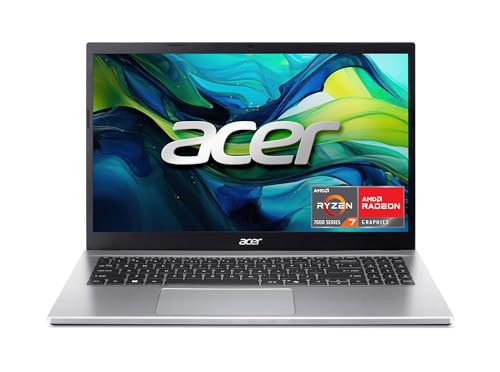


Is it worth it?
The ACEMAGIC AX15 fits a buyer who wants a basic Windows 11 laptop with a large 15.6-inch screen, 16 GB of RAM, and a 512 GB SSD for everyday work, study, and light multitasking. Its biggest appeal is the practical mix of a full-size layout, numeric keypad, and metal shell in a budget-friendly class, but the trade-off is that this is not the kind of machine you buy for premium polish or long, worry-free ownership.
I would place this with shoppers who need a straightforward home or office laptop and value storage, memory, and a roomy screen over flashy extras. Skip it if you want a clearly premium ultraportable, a creator rig, or a machine with stronger long-term confidence; the fit here is more modest, and the mixed ownership stories make durability the main caution.
| Screen size | 15.6 Inches |
|---|---|
| Resolution | 1920 x 1080 pixels |
| Processor | Intel Mobile CPU |
| RAM | 16 GB |
| Storage | 512 GB |
| Wireless | 802.11ac WiFi and Bluetooth 5.0 |
| Ports | USB-C/Type-C |
| Build material | metal shell |
Everyday Performance
The N97-class quad-core processor, 16 GB of RAM, and 512 GB SSD define this as a basic productivity machine rather than a performance laptop. That combination matters because it keeps the common stuff moving cleanly, from web apps to office work, without asking you to treat every task as a compromise.
The limit is just as important: this is the lane for routine computing, not heavy creative work or demanding gaming.
Roomy 15.6-Inch Display
The 15.6-inch 1080p panel gives the AX15 a familiar full-size laptop feel, and the thin-bezel design helps the screen occupy more of the chassis without making the body feel oversized.
That matters for reading, browsing, and document work because text has enough space to breathe. The trade-off is that the display is about practicality first, so buyers chasing premium brightness or richer image quality should look higher up the stack.
Ports and Desk Setup
HDMI, two USB 3.2 ports, one USB 2.0 port, a USB-C data port, a headphone jack, and a TF card slot make the port layout useful for a normal home or office desk.
This helps if you plan to plug into a monitor, keep a mouse attached, or move files without living on dongles. The catch is that the USB-C connection is for data, so this is a better fit for standard peripherals than for buyers who want a more modern one-cable docking story.
Use evaluation
Open it on a desk for email, documents, and browser tabs, and the AX15 lands in the comfortable everyday zone right away. The 16 GB of DDR4 memory and 512 GB SSD give it enough headroom for normal multitasking without feeling cramped, while the 15.6-inch 1080p panel gives you more room than a smaller budget laptop. The trade-off is simple: this is a practical work surface, not a standout screen for color-critical or high-end media work.
For typing and navigation, the built-in numeric keypad is a real plus if you spend time in spreadsheets, invoices, or data entry. The 180-degree hinge also makes it easier to flatten the screen for a shared desk or casual viewing, and the metal shell adds a sturdier feel than the cheapest plastic alternatives. The downside is that the overall experience is still anchored in entry-level territory, so the value comes from utility rather than luxury.
Mobility is where the decision gets more specific. The 38Wh battery claim puts it in the short-to-moderate unplugged-use lane, not the all-day travel class, and the port mix is broad enough for a normal desk setup with HDMI, USB-A, USB-C data, and a headphone jack. That makes it easy to live with near a charger, but less convincing if you expect long commutes or a laptop that disappears into the background once you leave the outlet behind.
Pros
- 16 GB RAM and 512 GB SSD make everyday use feel roomy
- Full-size 15.6-inch 1080p screen is easier for work than a compact budget panel
- Numeric keypad and broad port selection suit office-style tasks
- Metal shell and 180-degree hinge add practical flexibility.
Cons
- Battery life is only positioned for about 5 hours, which keeps it out of the true all-day travel class
- The USB-C port is data-only, so modern single-cable docking is limited
- Ownership stories include missing accessories and a failed display after a year, which makes long-term confidence less certain.
Community
User reviews
The pattern here is straightforward: the AX15 wins people over when the price, setup, and everyday usefulness line up, and it loses ground when buyers run into missing accessories or long-term hardware problems. The practical lesson is that this is a value-first laptop with real convenience, but not one to buy for maximum confidence over the long haul.
Still workd years later, awesome laptop.
No charger was sent and had no time to ship the whole thing back to get one with a charger. Just a Pain.
ABSOLUTE GARBAGE! The backlit panel went out after 1 year of minimal use. No support.
Much better then expected for this price. Nice utilitarian machine.
Comparison
| Attribute | ACEMAGIC AX15 Current | Dell Latitude 5420 | Dell DC15250 | HP 15.6 FHD Laptop 2026 Edition |
|---|---|---|---|---|
| Price | Out of stock | $269.99 | $549.99 | $429.99 |
| Screen size | 15.6 Inches | 14 inches | 15.6 Inches | 15.6 Inches |
| Resolution | 1920 x 1080 pixels | 1920 x 1080 pixels | 1920 x 1080 pixels | 1920 x 1080 pixels |
| Processor | Intel Mobile CPU | - | Intel Core i5-1334U | Intel Processor N100 |
| RAM | 16 GB | 16 GB | 16 GB | 16 GB DDR4 |
| Storage | 512 GB | 256 GB SSD | 512 GB | 256 GB PCIe SSD |
| Editorial score | 63/100 | 62/100 | 66/100 | 67/100 |
Against a typical Chromebook, the AX15 is the better pick if you want Windows 11, a 512 GB SSD, and a more conventional laptop setup for local apps and files. A Chromebook still makes more sense if your work lives almost entirely in the browser and you want the simplest, lightest software routine.
Compared with a more polished mainstream clamshell from a bigger-name line, this ACEMAGIC is easier to justify on raw memory and storage for the money, but it gives up some reassurance on durability and ownership experience. If you want the safer long-term bet, the better-known route is still the cleaner choice; if you want the stronger spec-to-price story, the AX15 is the more tempting bargain.
Compare with Compare this model This product stays fixed; add a recommended alternative or search another model in the category.
Compare with
Add a second model to activate the direct comparison.
Recommended models




No products match that filter combination.
Is the ACEMAGIC AX15 laptop worth it?
The AX15 makes the most sense for a buyer who wants a Windows 11 laptop with a full-size screen, usable ports, and enough memory and storage to handle everyday work without feeling stripped down. If you catch it at a good current offer, the value case is real because the core hardware is practical rather than decorative, and the layout is friendly for office-style use. The reason to pass is just as clear: battery ambition is modest, the USB-C story is limited, and the ownership record is uneven enough that I would not treat this as a buy-once-for-years machine. If durability and long-term reassurance matter more than spec-per-dollar, a better-established alternative is the safer route.
FAQ
Is the AX15 good for office work and school tasks?
Yes. The 16 GB RAM, 512 GB SSD, 15.6-inch 1080p screen, and numeric keypad make it a sensible fit for documents, browsing, and spreadsheet work.
Can it replace a travel laptop?
Only if your trips stay near power. The 38Wh battery claim and budget-class positioning make it better for desk-based use than for long unplugged days.